IP Office Integration - Page 55
DECT - Installation Manual Page 55
38HBKD0001SAH – Issue 14 (27th October 2003) DECT Configuration Software
Voicemail Pick-up
DECT handsets can be programmed such that the DECT handset can
pick-up and listen to a desktop phone’s Voicemail. These DECT handset
are normally set to be a slave of a desktop phone (see page 52).
Perform the following:
1. Where appropriate, check that the DECT handset is set as a slave of a
desktop phone.
2. From Programs/IP Office, open the Manager application. The default
password for Administrator is Administrator, however this must be
changed as early as possible.
3. Open the Configuration Tree (File/Open). The default password for the
IP Office configuration is password, however this password must
changed as early as possible.
4. In the Configuration Tree, open User to display all available users.
5. For the analogue port extension number assigned to the slave DECT
handset, right click in the User icon and select Edit.
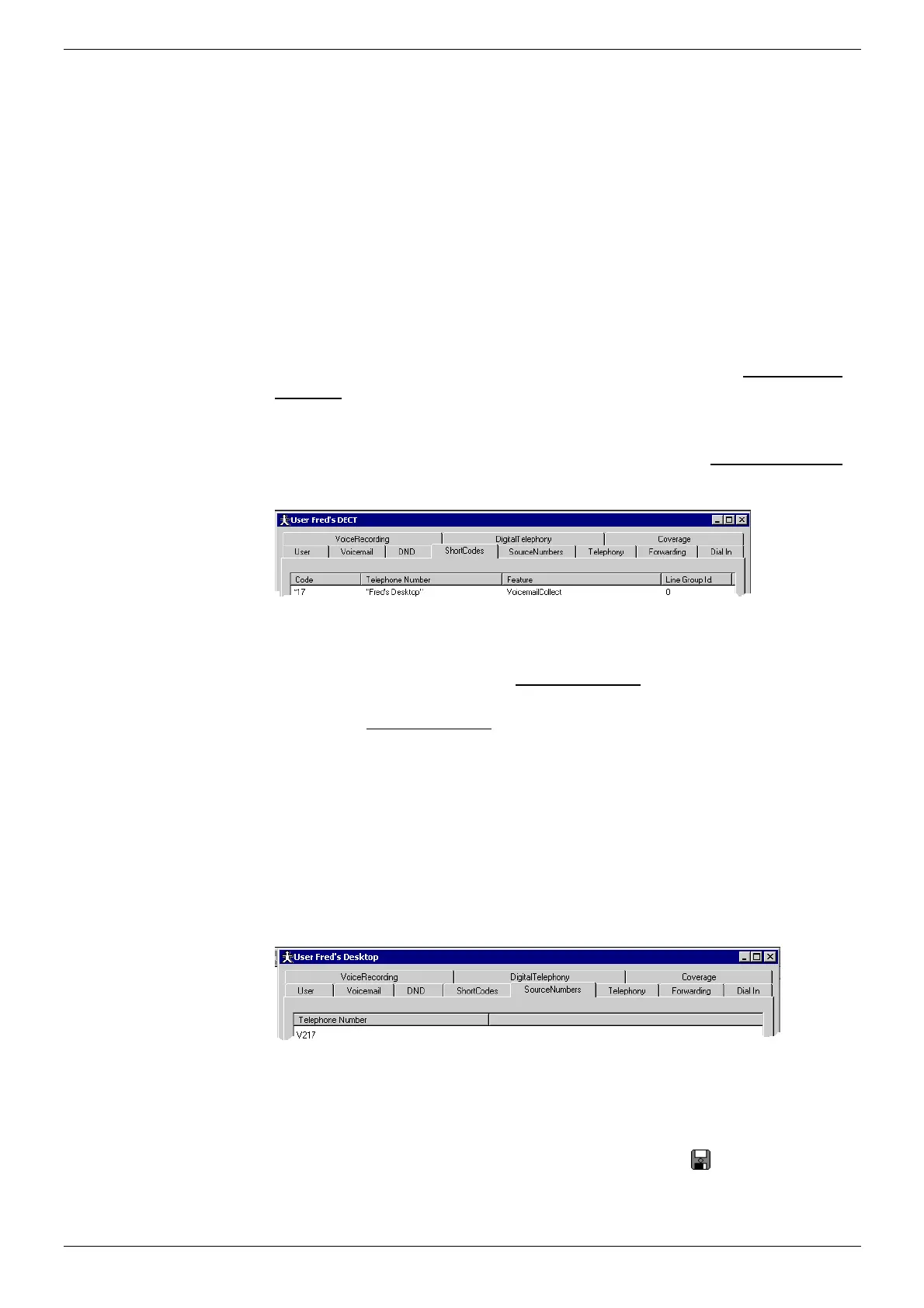
6. Select the ShortCodes tab, right click in the box and select Add.
7. Enter *17 (VoiceMail pick-up code) in Code,
8. Enter "name" (where name is the Name given to the Desktop phone)
in Telephone Number).
9. Set Feature to VoicemailCollect as shown below
10.
11. Select the SourceNumbers tab, right click in the box and select Delete
(this tab must not contain any entries).
12. Click OK to finish.
13. For the User assigned to the Desktop phone, right click in the User
icon and select Edit and select the SourceNumber tab.
14. Where the Desktop phone has been allocated password protection
for it's voice mailbox, you can either:
15. Permit a 'trusted location' to access the Desktop phone's voice
mailbox without a password.
OR
16. Ensure that slaved DECT handsets must enter a passcode to access
the Desktop phone's voice mailbox.
17. To make the DECT handset a 'trusted location' (e.g. where no is
password required) right click in the SourceNumber box and add
Vxxx (where xxx is the extension number of the DECT handset). Do
not edit any other 'trusted numbers' that may appear.
18. To ensure that the DECT handset must enter the Desktop's
password to access the Desktop's voicemail box, check that the
SourceNumber box does not contain Vxxx (where xxx is the extension
number of the DECT handset). Do not edit any other 'trusted numbers'
that may appear.
19. Save the configuration by clicking on the disc icon in the menu bar.
20. Ensure that the Voice Mail Server is running; Programs/IP
Office/VoiceMail.



 To Next Page