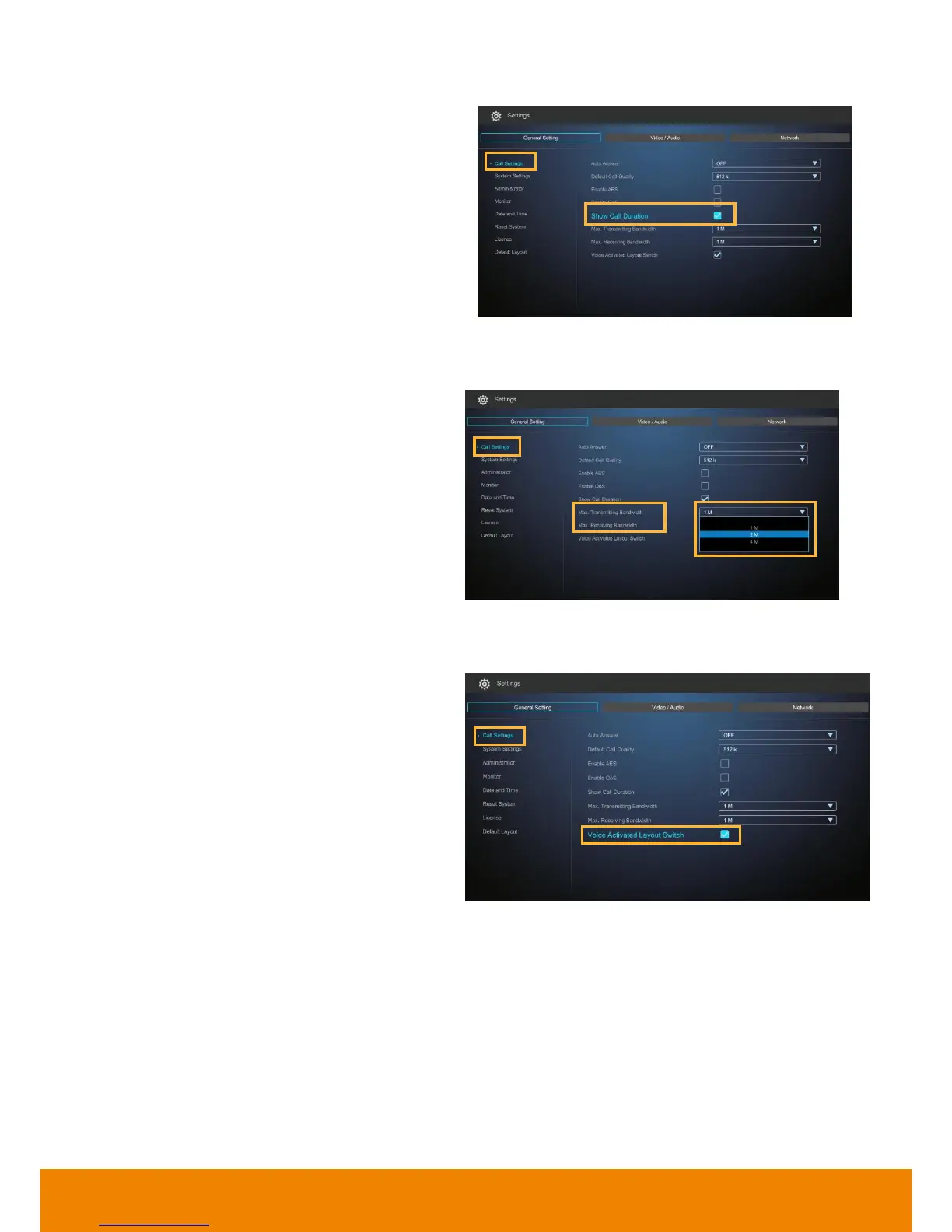
Enable/disable the call duration showing, by
default, this function is enabled.
This function allows you to specify the
maximum bandwidth of the outbound and
inbound calls. AVer SVC system supports up
to 36M.
During the video conferencing, the SVC
system will detect which connected point is
talking and show the video of talking point into
enlarge screen view.
[Note]
1. When function of Voice Activated Layout Switch is enabled, the multiple connections must over 3 points.
2. When voice activate function is disabled, the screen is displayed the video of first connected call.
3. In Figure 1, the layout 2, 3 and 4 are displayed the talking point at largest video screen area and rest of
points are displayed in small video screen area. If connecting point doesn’t enable “Voice Activated Layout
Switch” function, it will display in small screen.
4. In Figure 1, the layout 4 is displayed talking point on largest video screen area. If Voice Activated Layout
Switch doesn’t enable, the largest video screen area is displayed video of local site.



 To Next Page