35146AJ
37
LIVE SCREEN VIEWING
PANE
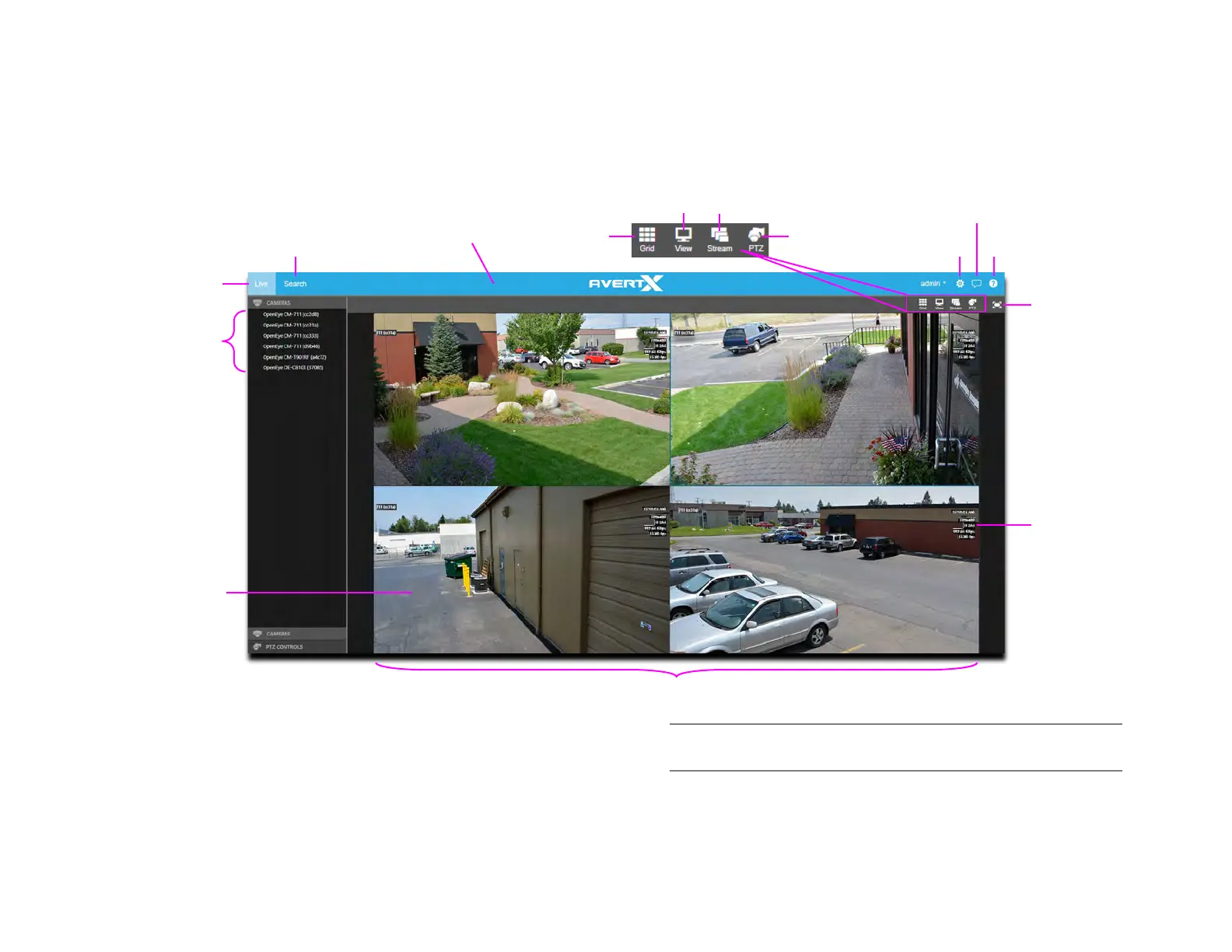
The Live screen displays the camera list and live video. Customize the
Live screen to view specific cameras in different layouts.
Camera List – List of connected cameras, these cameras can be
dragged into a camera tile to display live video.
Note The recorder local Live Screen does not display the Camera
List.
On-Screen Display (OSD) – Displays the resolution, video format, bit
rate, and frame rate of the camera.
OSD
Bar
Full Screen


 To Next Page