Classification: Avery Dennison – Public 6
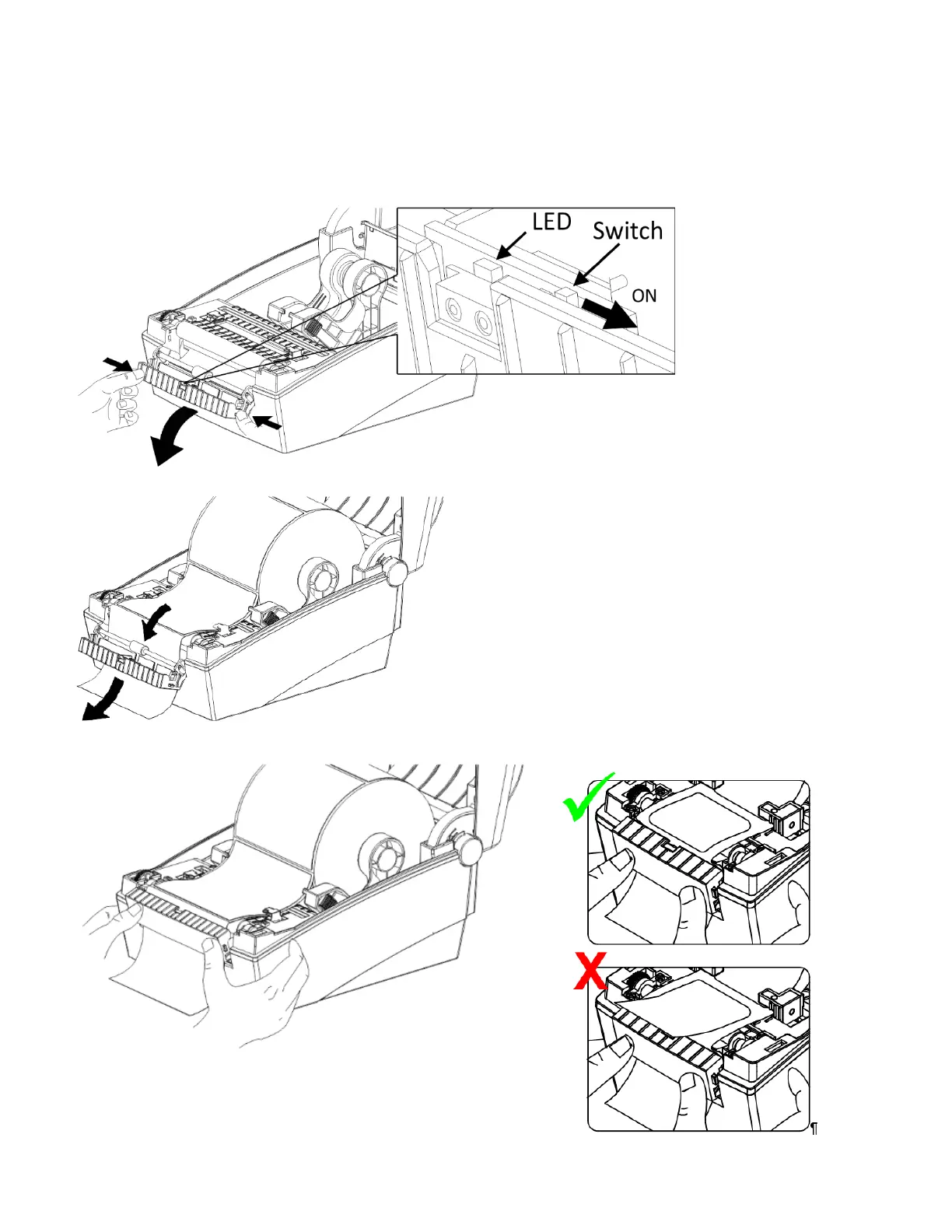
Loading Supplies for Peel Mode
Peel mode separates the label from the backing paper while printing. Peel mode can only be used with die cut
label supplies.
1. Open the paper cover.
2. Open the peel cover, set the peel mode switch to ON. Make sure the LED is on.
3. Remove one label then insert supply as shown.
4. Close the peel cover. The peel cover should close between labels, as shown in the top image.













 To Next Page