Classification: Avery Dennison – Public 2
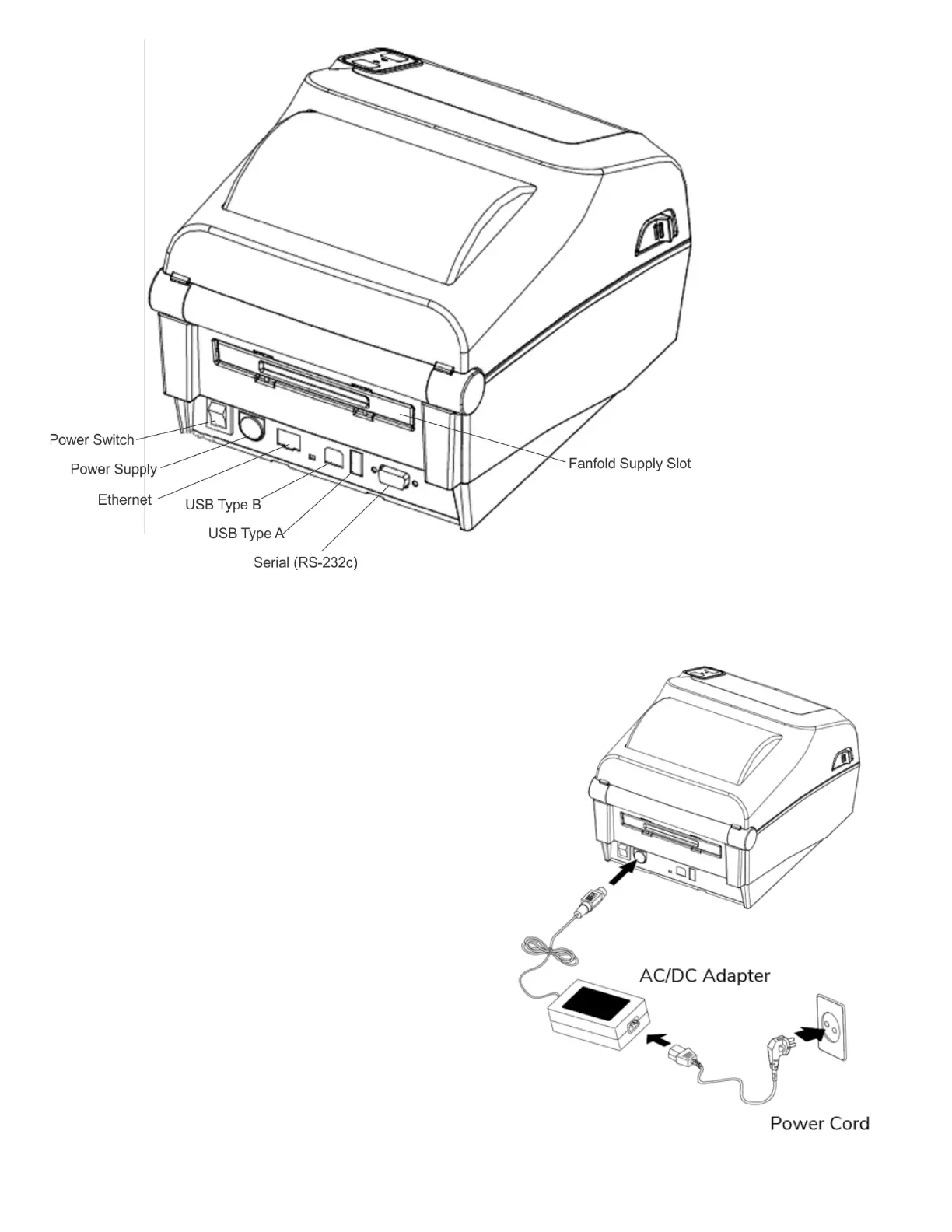
Power Connection
Connect power to the printer as shown. Only use the
adapter supplied with the printer.
1. Turn off the printer.
2. Connect the AC adapter to the printer.
3. Connect the power cord to the AC adapter.
4. Connect the power cord to a grounded power outlet.













 To Next Page