Classification: Avery Dennison – Public 26
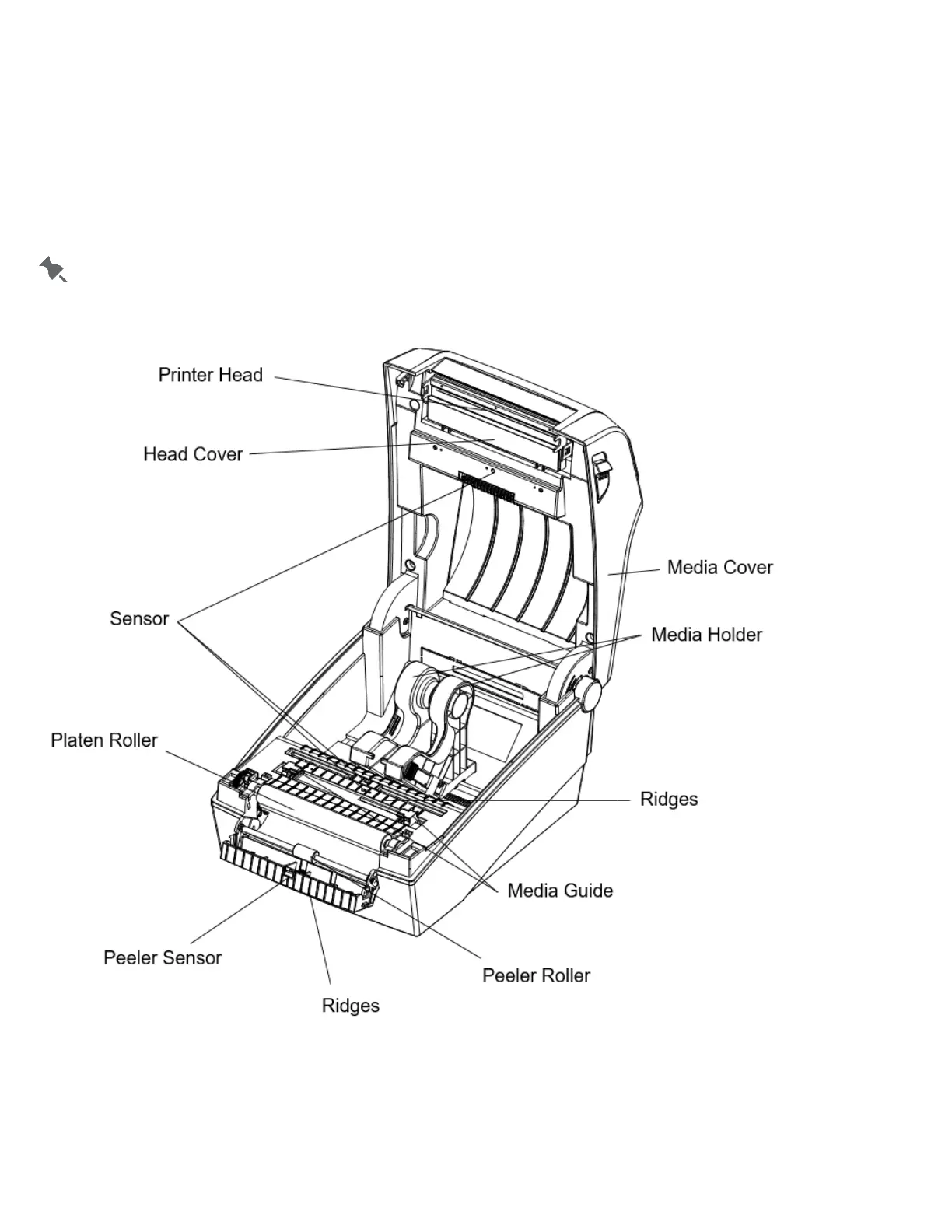
Cleaning the Sensors, Roller, and Paper Path
1. Turn off the printer.
2. Open the cover and remove supplies.
3. Remove dust or debris using a dry cloth or cotton swab.
4. Moisten the cloth or cotton swab with isopropyl alcohol to remove adhesive.
5. Allow the cleaned parts to dry completely (1~2 min) before use.
Clean the identified parts when there is reduced print quality or supply sensing.













 To Next Page