Classification: Avery Dennison – Public 15
Configuration of LAN/WLAN Settings Using the Configuration Button
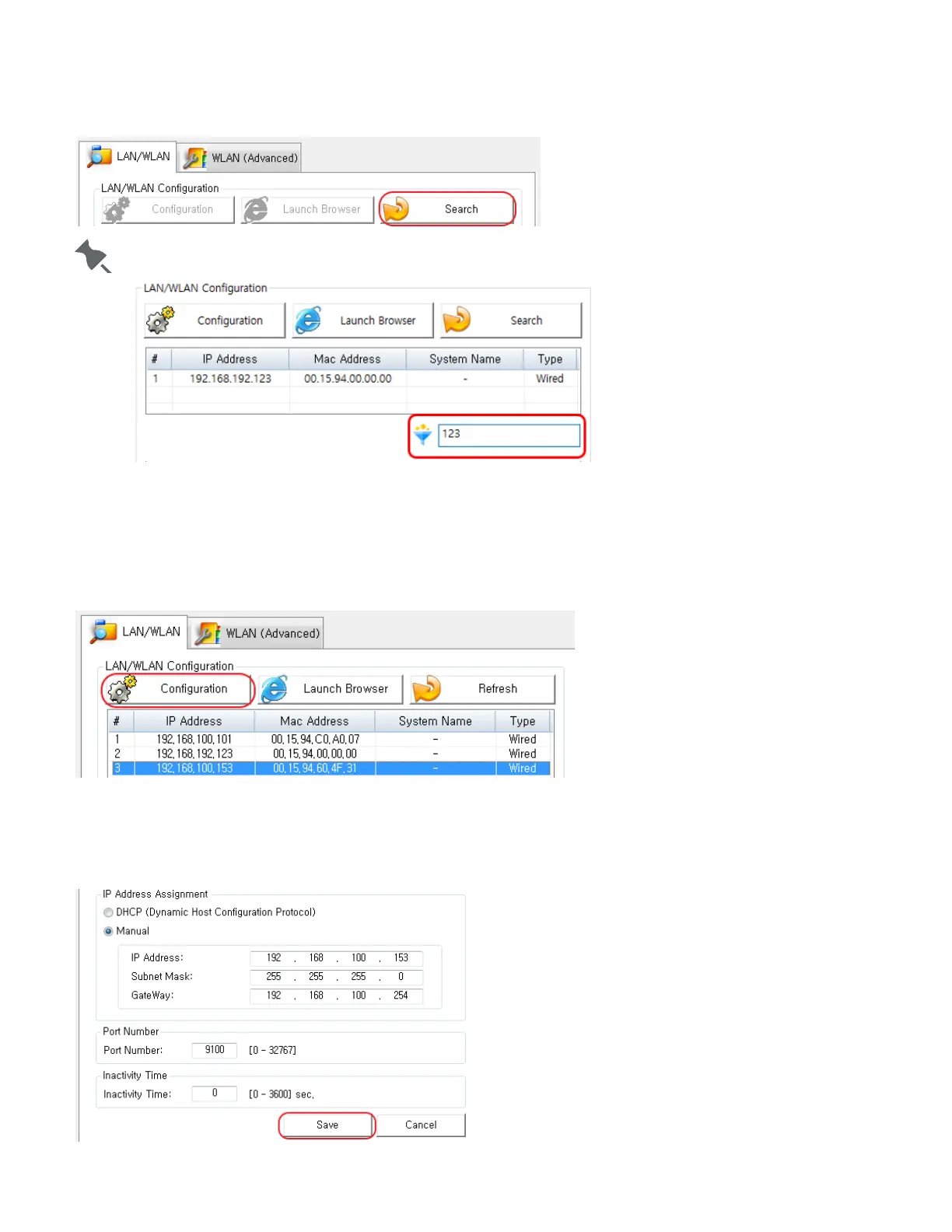
1. Check to make sure the printer is switched on.
2. Click the Search button to search for printers on the network.
You can enter text in the filter text box so that your search results in only devices containnig that text.
3. If the Security Alert message pops up, click either "Unblock" or "Allow access".
4. From the search results, click the MAC address (Media Access Control Address) or IP address (Internet
Protocol Address) of the printer you want to configure.
5. Click the Configuration button (or double-click the item you want to configure).
6. Configure the network settings of the printer. Once
the network settings are configured, the utility
automatically searches for printers on the network.
7. Click the Save button.












 To Next Page