Classification: Avery Dennison – Public 17
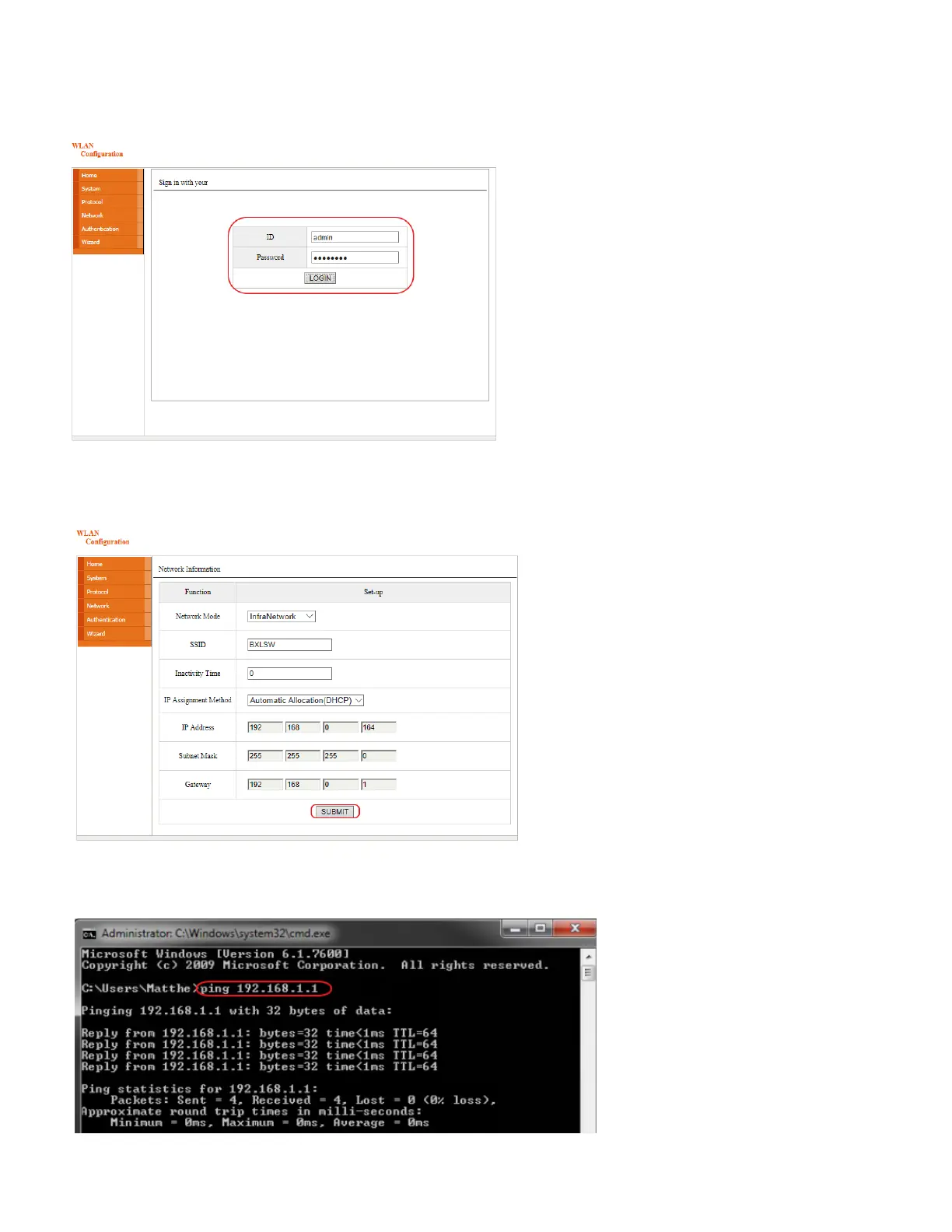
6. If prompted to login to change WLAN settings using the web browser, the default ID and password are:
o User ID: “admin”
o Password: “password”
7. Modify/Enter settings as needed.
8. Click Submit to save the changes.
9. Use a ping test to check the connection with the printer. Open a Windows command prompt and type the
ping test command:
ping <printer's IP address>














 To Next Page