Care & Maintenance 5-3
4. Remove the ribbon and supply.
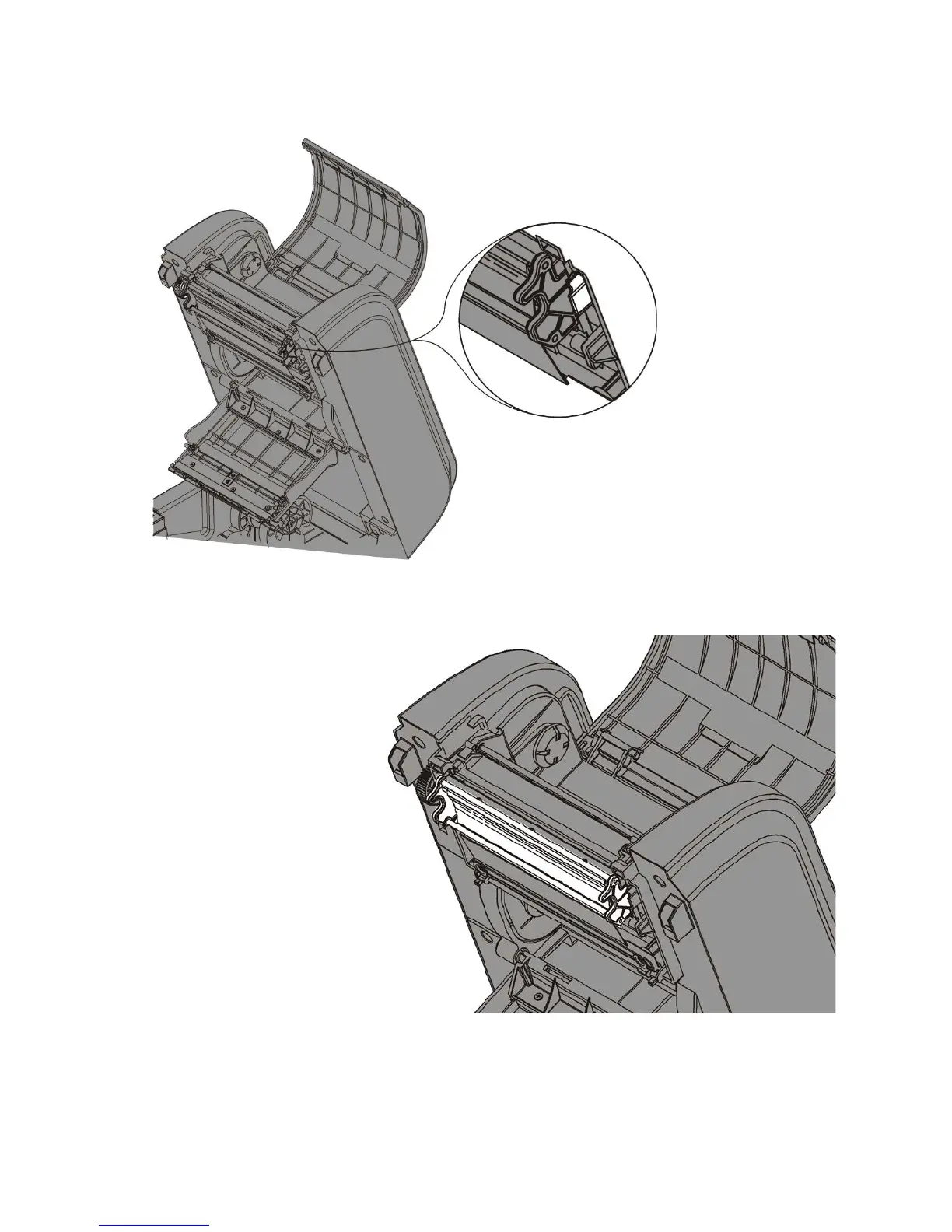
5. Use your thumb to open the printhead tabs. Tabs are located on either side of the
printhead. Once both sides are released, the printhead drops down.
6. Carefully unplug the orange printhead cable and the green grounding wire.
7. Connect the green grounding wire and the orange printhead cable to the new
printhead.
8. Align the new printhead
bracket’s circular indents
with the printhead springs.
9. Guide the printhead bracket
behind the tabs and into
place.
10. Clean the printhead with a
cotton swab dipped in 100%
isopropyl alcohol.
11. Let the printhead dry and
reload supplies and ribbon.
12. Close the ribbon take-up
cover and the ribbon cover.
13. Close the cover until you
hear it click into place.










 To Next Page