5-4 Equipment Manual
Replacing the Platen Roller
1. Turn off the printer.
2. Turn the cover latches and lift the cover.
3. Remove supply.
4. Press down and completely open the peel door. Then, remove the peel bar. Press
against the left side (with the spring) of the peel bar and lift up to remove.
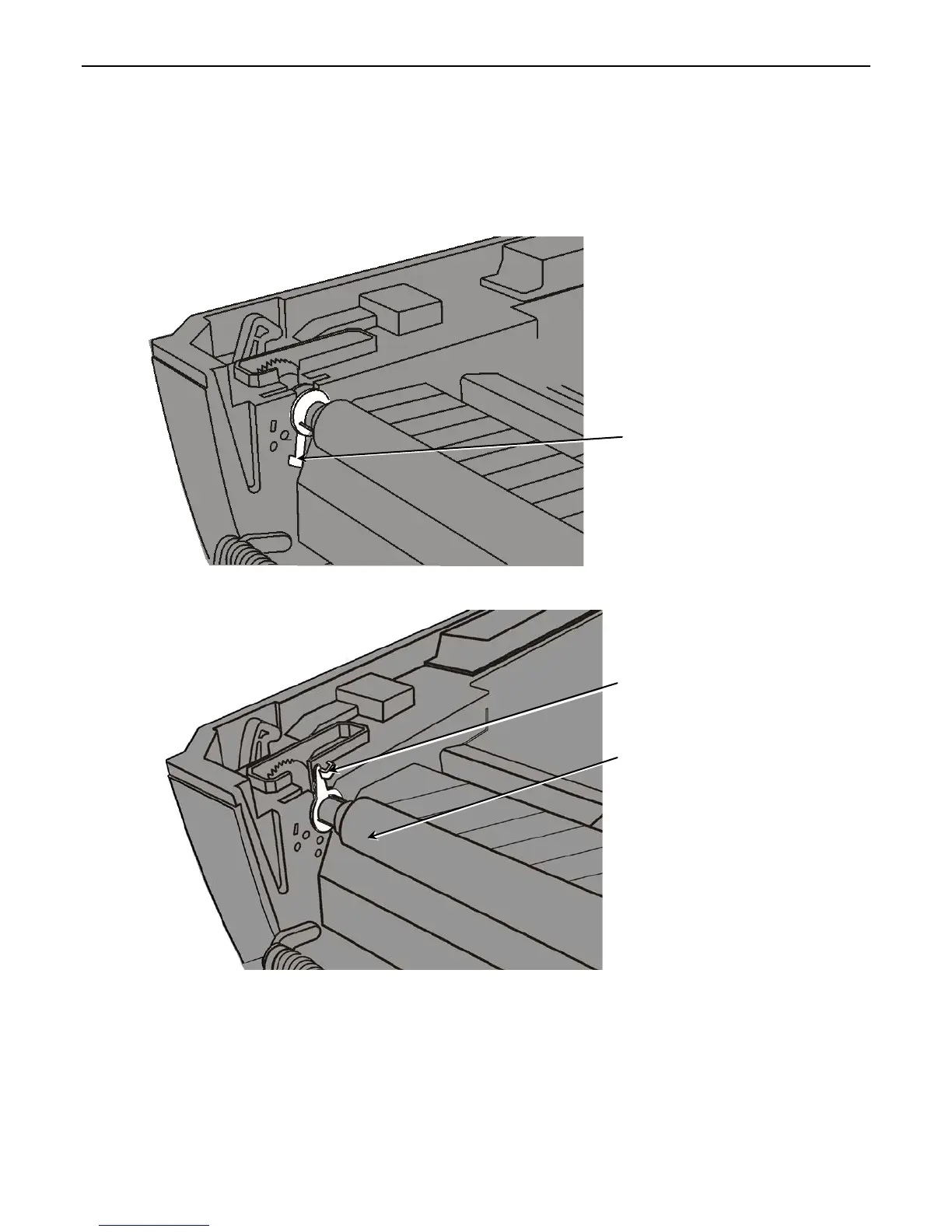
5. Locate the platen roller tabs. Tabs are located on either side of the platen roller.
6. Pull on the platen roller tabs and rotate up to unlock.
7. Lift up and remove the platen roller.
8. Insert the new platen roller.
9. Lock the platen roller tabs back into place.
10. Reinstall the peel bar if necessary.
11. Reload supply and close the peel door.
12. Close the cover until you hear it click into place.
Platen roller tab is unlocked.
Platen roller tab is locked.










 To Next Page