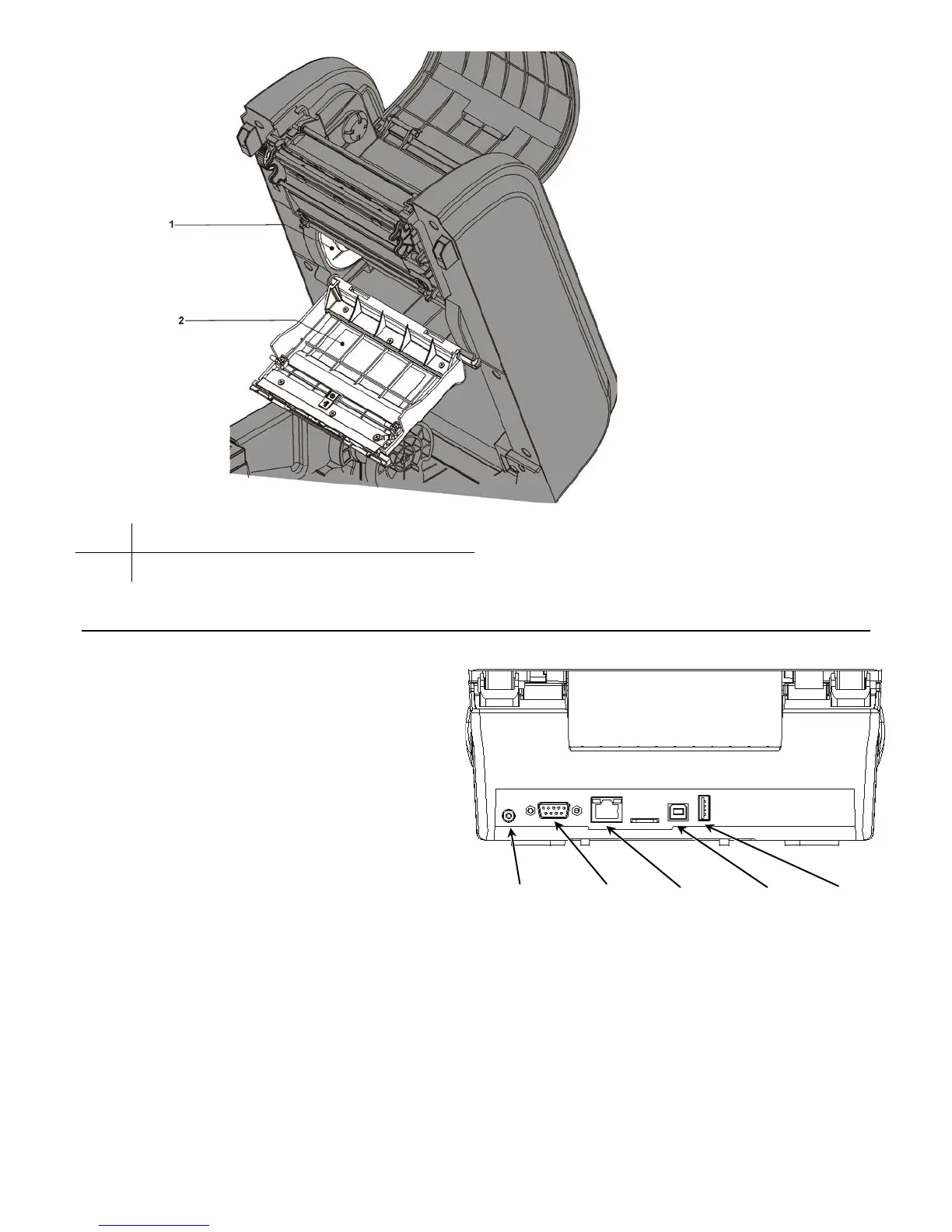
1-4 Equipment Manual
1 Ribbon Reel
2 Ribbon Cover
Connecting the Power Cable
The power supply automatically switches between 115V or 230V. No operator settings
are required.
To connect the power supply:
1. Place the printer in a location that
allows easy access to the front of the
printer.
2. Place the power supply in a suitable
location, preferably on the floor, near
an electrical outlet.
3. Plug the three-hole end of the AC
adapter cable into the three-pronged
outlet in the power supply.
4. Plug the round end of the power supply cable into the socket at the back of the
printer.
5. Plug the three-pronged end of the AC adapter cable into a grounded electrical outlet.
6. Turn on the printer. Press the switch on the side of the printer to the ON position (I).
WARNING: The printer and power supply should never be operated in a location where
either one can get wet. Personal injury could result.










 To Next Page