5-2 Equipment Manual
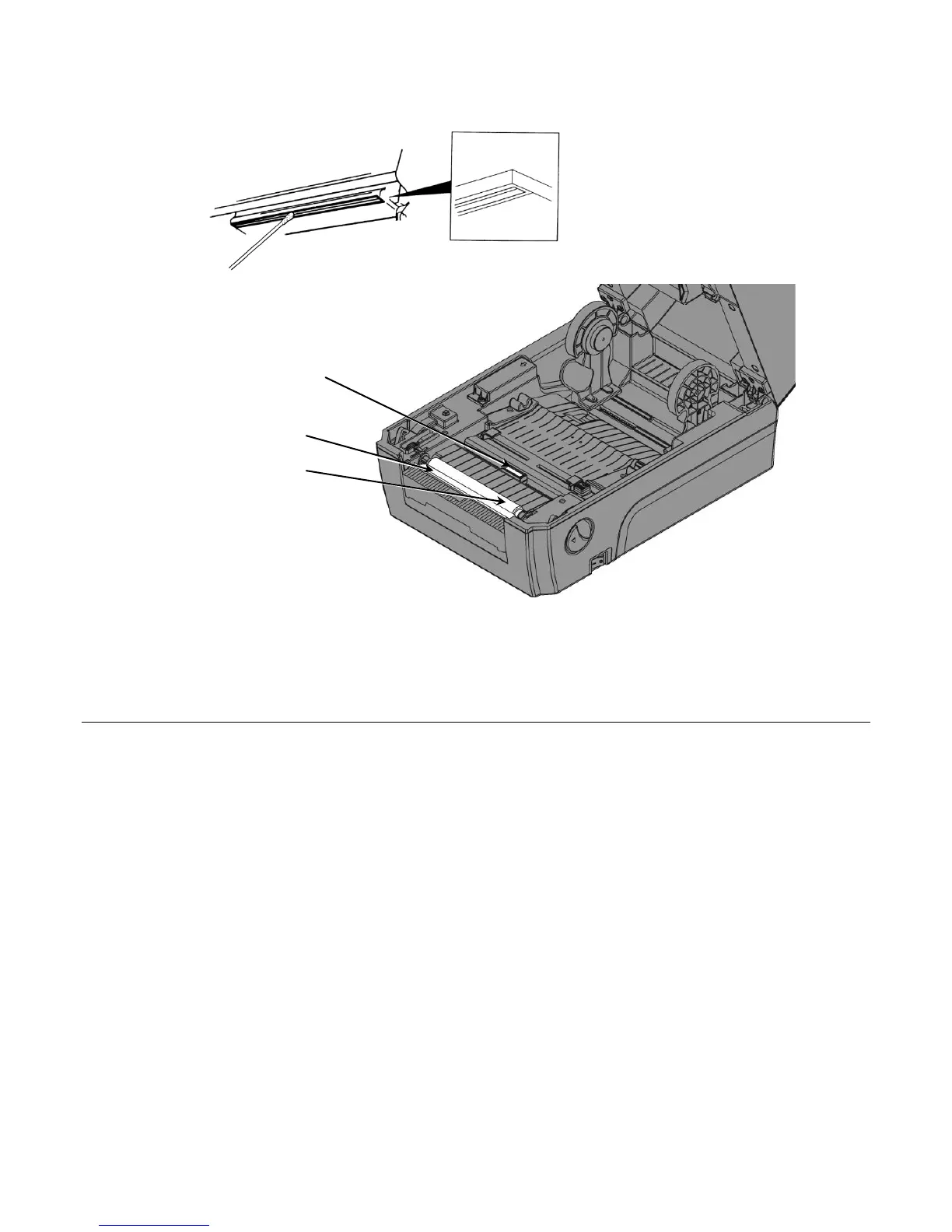
5. Use a cotton swab moistened with 100% isopropyl alcohol to clean the printhead, peel
bar, and platen roller when you see adhesive build-up or after clearing a jammed
label.
6. Turn the platen roller with your finger to make sure it is clean all the way around.
7. Once the printer is dry, reload the supply and ribbon.
8. Close the cover until you hear it click into place.
Replacing the Printhead
Replace the printhead when it is damaged or worn-out.
CAUTION: Static electricity can damage the printhead. Ground yourself by touching
metal before touching the printhead.
1. Turn off the printer.
2. Turn the cover latches and lift the cover.
3. Open the ribbon take-up cover and the ribbon cover.
Printhead










 To Next Page