XR Series Installation and Technical Instructions 11
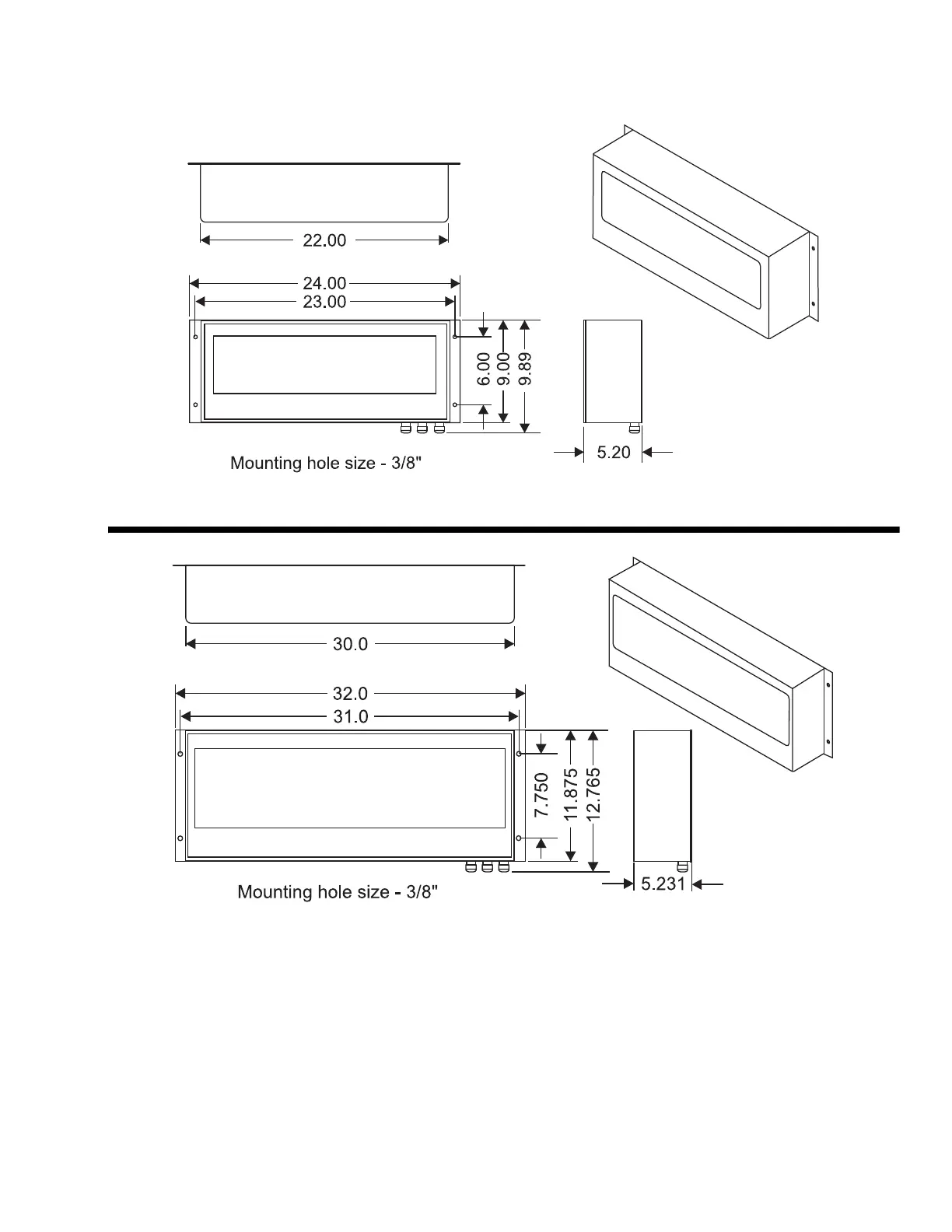
Wall Mounting Hole patterns for the XR series are given in Figure 2.2.
XR 4500
XR 4500TL and XR 6500
Figure 2.2 Outline dimensions and hole pattern
Pole Mounting Bracket 1. Select appropriate height and fasten the small “C” bracket to the pole
using the mounting clamps provided.
The pole mounting bracket allows
use of poles or beams up to eight
inches in diameter.
2. Fasten the larger “C” bracket to the small “C” bracket using the
hardware provided.
3. Fasten the XR display to the pole mounting bracket as outlined in the
mounting instructions (See Figure 2.3).

 To Next Page
 Loading...