EasyManua.ls Logo

Avery Weigh-Tronix XR Series - User Manual

Avery Weigh-Tronix XR Series
60 pages
Print Icon
To Next Page IconTo Next Page
Loading...
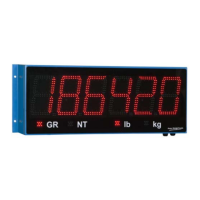
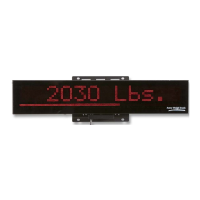
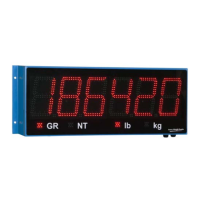
XR Series
LED Remote Displays
Installation Instructions
NORTH AMERICA
AWT35-500303
Issue AD

Table of Contents

Other manuals for Avery Weigh-Tronix XR Series

Questions and Answers

  • K
    Kristin ChanAug 15, 2025
    Why Avery Weigh-Tronix Monitor unit won’t power up?
    • L
      Leslie HicksAug 15, 2025
      If your Avery Weigh-Tronix Monitor unit isn't powering up, there could be several reasons. First, verify the AC power source, checking outlets and breakers. Next, check the terminal block connections inside the main enclosure. Then, verify the power wiring from the terminal block to the power supply board and check the fuse on the power supply board. Finally, verify the power wiring from the power supply board to the controller board.
  • G
    Gina OrtizAug 18, 2025
    What to do if COM light not flashing on Avery Weigh-Tronix XR?
    • M
      Michael MartinezAug 18, 2025
      If the COM light on your Avery Weigh-Tronix Monitor is not flashing, verify the correct terminal (RS 232, 422/485, 20 mA) is being used and check the communications wiring at the indicator. Also, check that the communications 'Input Select' jumper is set to the proper communication mode (RS 232, 422/485, 20 mA). Verify that data is being sent to the XR from the indicator and that the data string contains numeric characters.
  • S
    susanrodriguezAug 21, 2025
    What to do if RADIO light not flashing on Avery Weigh-Tronix XR Monitor?
    • A
      Alexander HollowayAug 21, 2025
      If the RADIO light on your Avery Weigh-Tronix Monitor is not flashing, check that the radio module is properly installed and ensure that the internal antenna cable is connected to the radio module and the external antenna. Also, consider that no data may be sending from the ScaleLink radio connected to the scale indicator.
  • Q
    qthompsonAug 25, 2025
    What does it mean if STATUS light blinking fast on Avery Weigh-Tronix XR?
    • B
      Brandon BarrettAug 25, 2025
      If the STATUS light is blinking fast (3/second) for longer than 30 seconds on your Avery Weigh-Tronix Monitor, it indicates that the XR is not able to Auto-Learn the data string or baud rate.
  • S
    Sheila SmithAug 27, 2025
    What does “Error 1” mean on Avery Weigh-Tronix XR Monitor display?
    • J
      Jeffrey BradyAug 28, 2025
      If your Avery Weigh-Tronix Monitor display reads “Error 1”, verify the correct terminal (RS 232, 422/485, 20 mA) is being used and check the wiring. Also, verify that the communications 'Input Select' jumper is properly set. Ensure that data is being sent to the XR from the indicator and that the data string contains numeric characters. This error can also indicate that Baud Rate Auto-Learn has failed.
  • N
    Nathan DickersonAug 31, 2025
    What does “Error 2” mean on Avery Weigh-Tronix XR Monitor display?
    • D
      Danielle WilliamsAug 31, 2025
      If your Avery Weigh-Tronix Monitor display reads “Error 2”, verify the correct terminal (RS 232, 422/485, 20 mA) is being used and check the wiring. Also, verify that the communications 'Input Select' jumper is properly set. Check that a data string is being sent to the XR from the indicator and that the data string contains either an STX character (ASCII 02) or a CR character (ASCII 13). This error can also mean that Data String Auto-Learn has failed.
  • T
    timothy36Sep 3, 2025
    How to fix dashes across the display on Avery Weigh-Tronix XR Monitor?
    • J
      Julie BoydSep 4, 2025
      If you see dashes across the display of your Avery Weigh-Tronix Monitor, verify the correct terminal (RS 232, 422/485, 20 mA) is being used and check the wiring. Also, verify that the communications 'Input Select' jumper is properly set.
  • S
    Stephanie CamposSep 7, 2025
    Why Avery Weigh-Tronix XR Monitor has power but no display?
    • R
      Rhonda SchroederSep 7, 2025
      If your Avery Weigh-Tronix Monitor has power but no display, verify the ribbon cable connections from the controller board to the display board. Also, if the unit is in COMMAND mode, the display will remain blank until data is received.
  • S
    susanwilliamsSep 10, 2025
    What does it mean if STATUS light is OFF on Avery Weigh-Tronix XR?
    • R
      robert36Sep 10, 2025
      If the STATUS light is off on your Avery Weigh-Tronix Monitor, first verify that the unit has power. If the Status light remains OFF when powered, it indicates that the processor is not running.

Avery Weigh-Tronix XR Series Specifications

General IconGeneral
Display TypeLCD
PowerAC/DC
EnclosureNEMA 4X
Communication PortsRS232, RS485
BacklightLED
Input Voltage100-240 VAC or 12-24 VDC
Communication InterfacesEthernet, USB
Mounting OptionsPanel mount, Wall mount

Related product manuals