Pro Tools | HD I/O Guide16
Connecting Pro Tools | HD I/O to a Pro Tools | HD Native Card
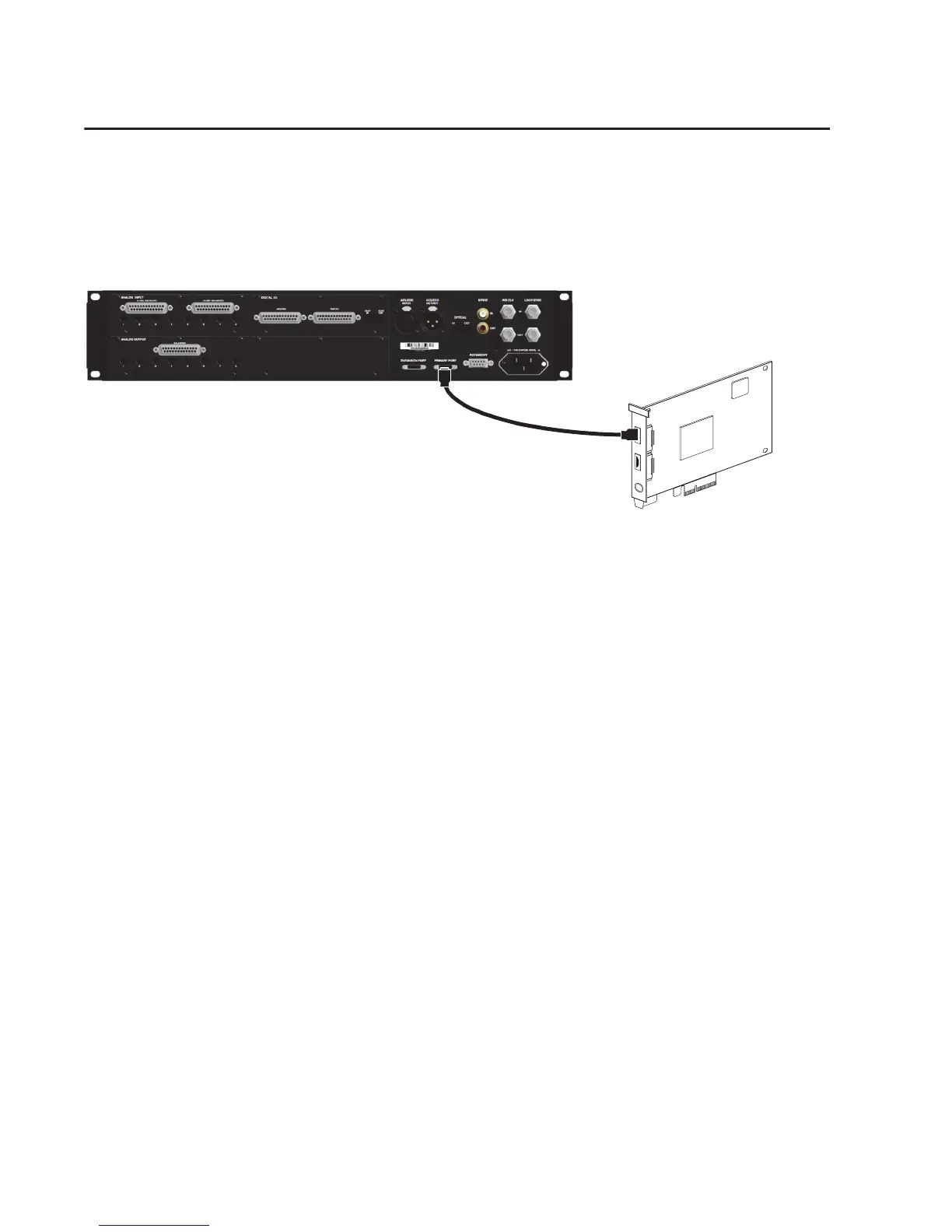
To connect HD I/O to an HD Native card:
Connect the HD I/O Primary Port to DigiLink Mini Port 1 on the HD Native card using the included
DigiLink Mini cable.
To connect two HD I/Os to an HD Native card:
1
Connect the Primary Port to DigiLink Mini Port 1 on the HD Native card using the included DigiLink
Mini cable.
2
Connect the additional HD I/O (or other compatible Pro Tools audio interface) by doing one of the
following:
• Connect the Primary Port of the secondary interface to the Expansion Port of the primary
interface with an additional DigiLink Mini cable (or DigiLink to DigiLink Mini adapter).
• Connect the Primary Port of the secondary interface to DigiLink Mini Port 2 on the HD Native card.
3
Make the necessary Loop Sync connections (see “Connecting Loop Sync” on page 17).
Figure 3. HD I/O connected to the DigiLink Mini Port 1 on an HD Native card
PORT 1PORT 2



 To Next Page