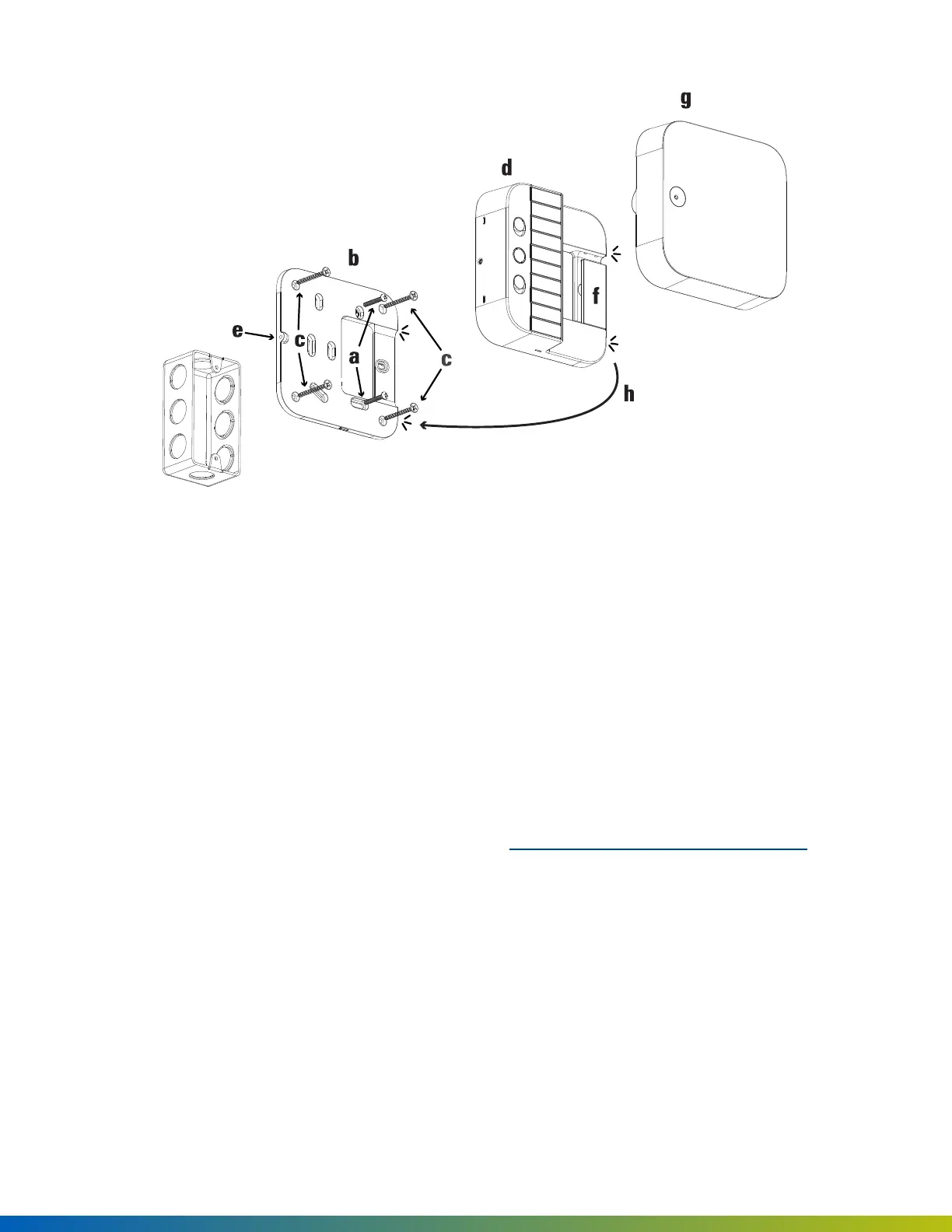
Mount on wall
1. Use the provided drywall screws (c) and anchors (not shown) to attach backplate (b) to wall.
2. Snap on main housing (d) to backplate (b).
3. On the right side of the main housing (d), ensure that the two edge clips (h) fit into their respective
notches on the backplate (b).
4. Press firmly on the main housing (d) to snap into place.
5. Partially unscrew the pre-installed M4 set screw (e) to secure main housing (d) to backplate (b).
6. Use the cable slot (f) to hold cables while wiring. See SDC wiring configuration on the next page.
7. Snap on front cover (g).
Installation 10



 To Next Page