l
Openpath 4-Port Expansion
l
Openpath 8-Port Expansion
l
Openpath 16-Port Elevator
Tip: This configuration is most common with the Core Series Smart Hubs.
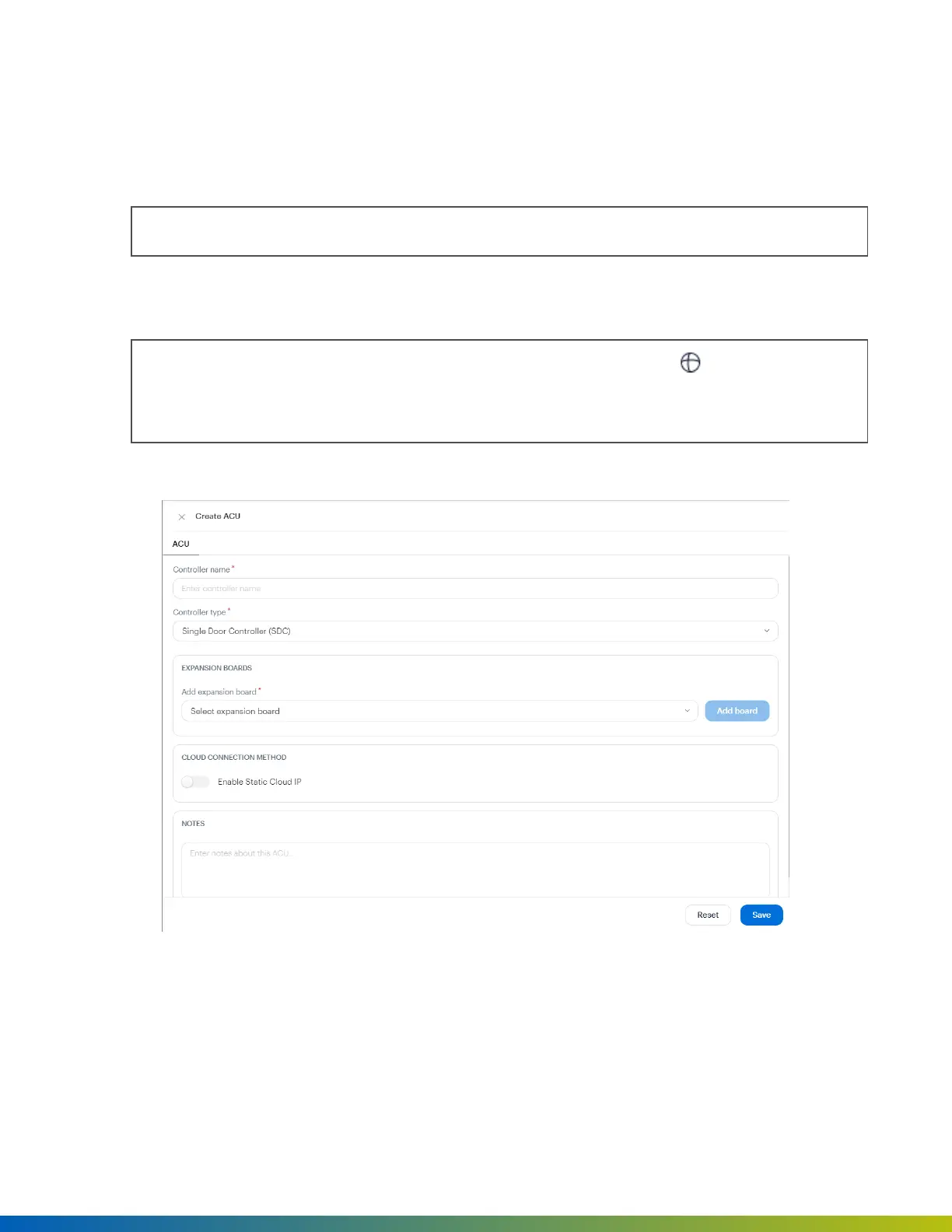
6. Optional. To connect your network to the Cloud using a static IP address and port on an allowlist, select
the Enable Static Cloud IP toggle. Default port is 443.
Note: An Enterprise plan is required to use Static Cloud IP. In addition, go to App marketplace and
ensure the Static Cloud IP app is installed. After the toggle is enabled in the Alta Control Center,
open the Open Admin app and select Provision with Static Cloud IP to provision the devices.
7. Click Save.
Figure 4 Create ACU
Disable the Static Cloud IP connection
If it is necessary to disable the Static Cloud IP connection:
Provisioning 18


 To Next Page