Function Purpose
Appliance Options
Locked
Synchronizes the KVM and virtual media sessions so that when a user disconnects a KVM
connection, the virtual media connection to that target device is also disconnected. A local
user attempting to switch to a different target device is also disconnected.
Select Local Mapping Options
Reserve
Ensures that a virtual media connection can only be accessed with your username and that
no other user can create a KVM connection to that target device. When the associated KVM
session is disconnected, the virtual media session may be disconnected according to the
Locked setting in the Virtual Media dialog box.
CD/DVD
Allows virtual media sessions to the first detected CD-ROM or DVD drive. Enable this
checkbox to establish a virtual media CD-ROM or DVD connection to a target device.
Disable to end a virtual media CD-ROM or DVDconnection to a target device.
Mass Storage
Allows virtual media sessions to the first detected mass storage drive. Enable this checkbox
to establish a virtual media mass storage connection to a target device. Disable to end a
virtual media mass storage connection to a target device.
Write Access
Allows a target device to write data to the virtual media during a virtual media session. Read
access is always allowed during a virtual media session.
To set virtual media options:
1. If the OSCAR interface is not open, press Print Screen to open the Main dialog box.
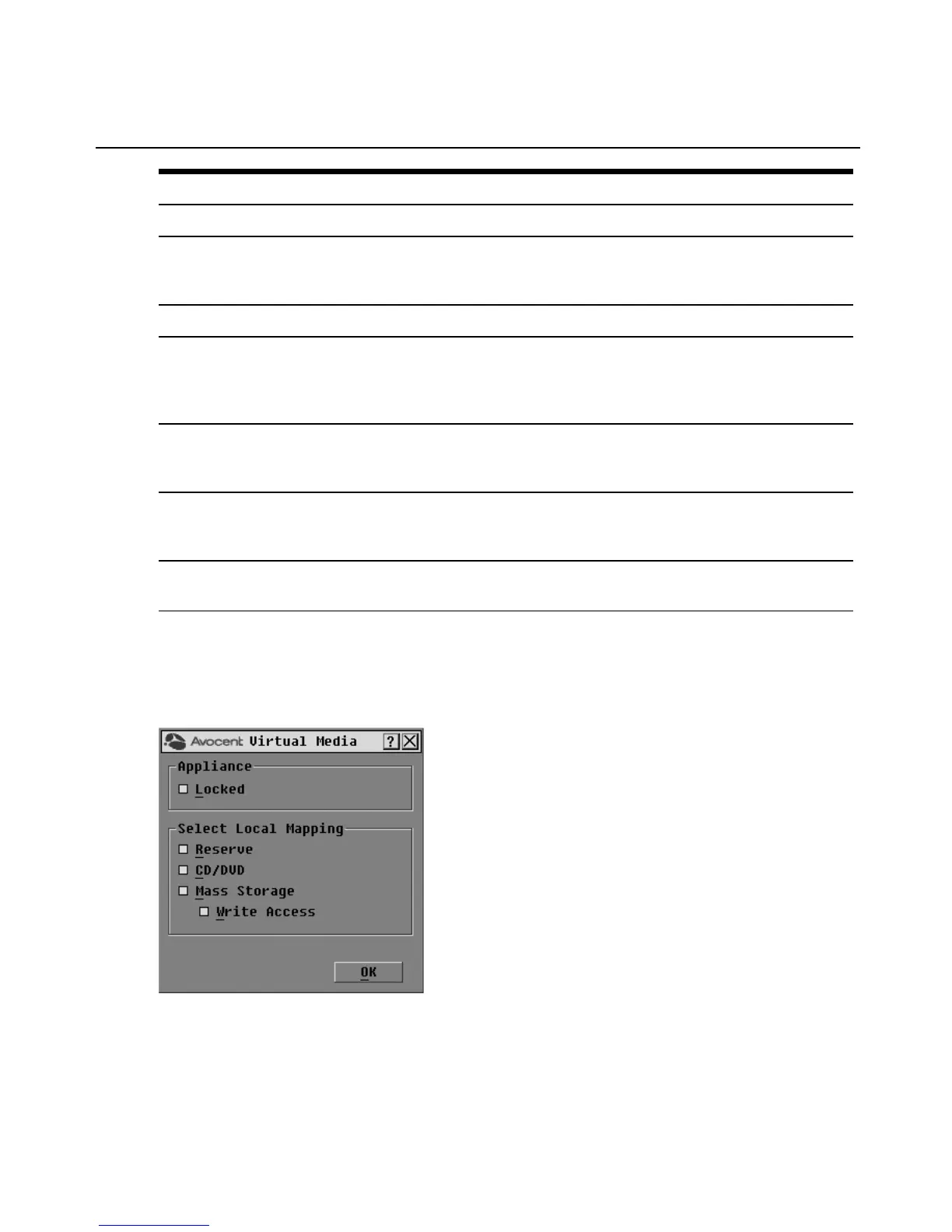
2. Click VMedia to open the Virtual Media dialog box shown in Figure 3.2.
Figure 3.2: OSCAR Interface Virtual Media Dialog Box
22 DSR® Switch Installer/User Guide












 To Next Page