- 27 -
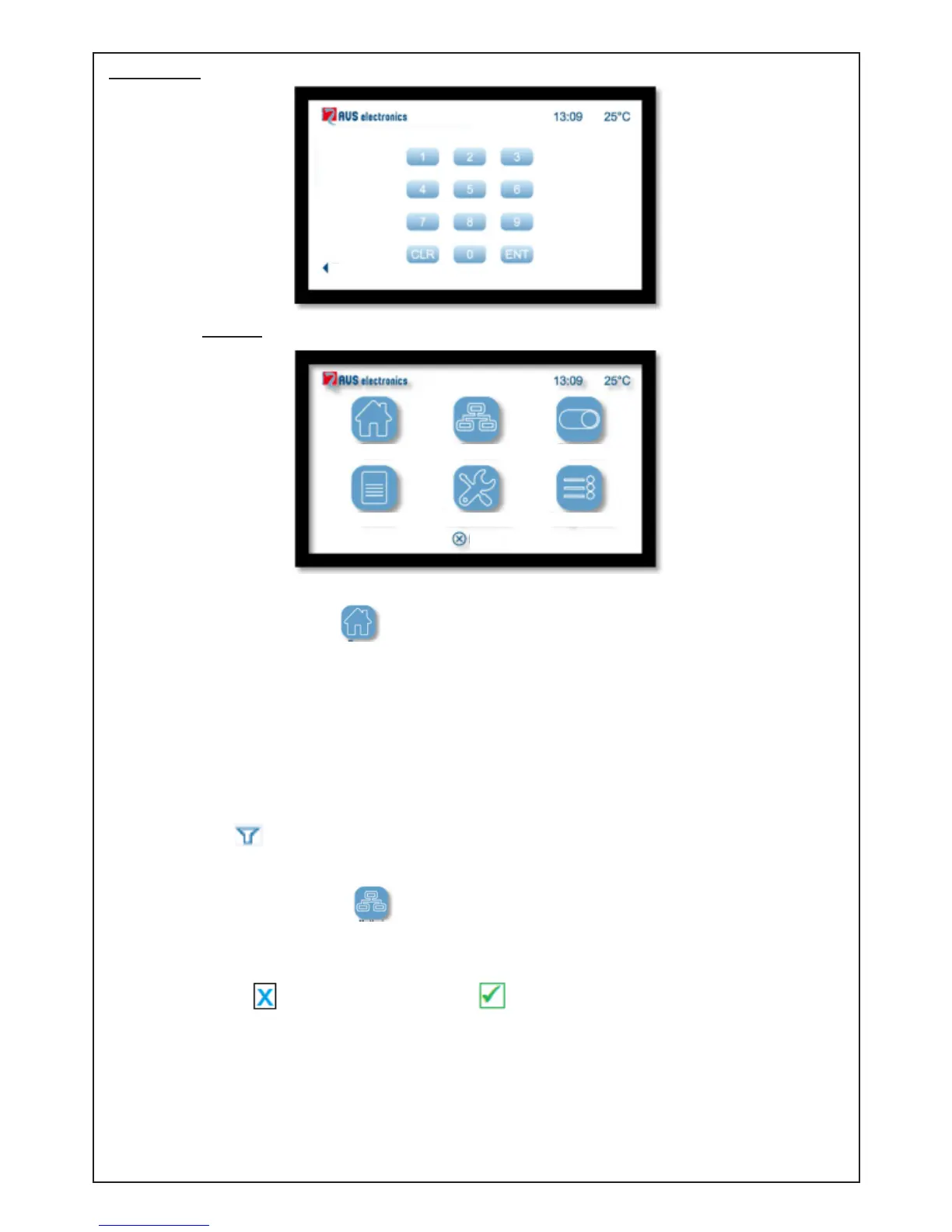
App mode:
- Key in the six-digit user code to enter:
- Select the required menu:
• Zones:
Click on the icon to view and manage the zones of the system.
Use the "Up/Down" arrows to scroll between the zones; those with descriptions in red are
"in alarm mode/open".
To disable a zone: click on the zone and then "Disable", and conrm.
Info on zones:
• Zone status: closed / open
• Zone Active (Yes/No): zone powered up
• Zone Disabled (Yes/No): zone disabled or enabled
Zone lter (top right): It is possible to select visualisation of All the zones and only the
ones that are Open; or only those that are Disabled or in Fault mode.
• Sectors: Click on the icon to view and manage the modes of your system.
Use the arrows to scroll between the various sectors.
This menu gives the: Name of Sector / Zone status / Sector status.
Zone status: At least one zone open / all the zones of the sector are closed
Sector status: DIS = Sector DISabled / ON = Sector turned ON / HO = Sector On in HOme
mode / AR = Sector On in ARea mode / PE = Sector On in PErimeter mode
To turn ON/OFF: touch “>” next to the sector.
Macro activation: touch of << A >> or << B >> to activate the desired Macro activation.
EXIT
Back
Zone Partitions
Functions
Events Settings
Diagnostic



 To Next Page