OWNER’S MANUAL
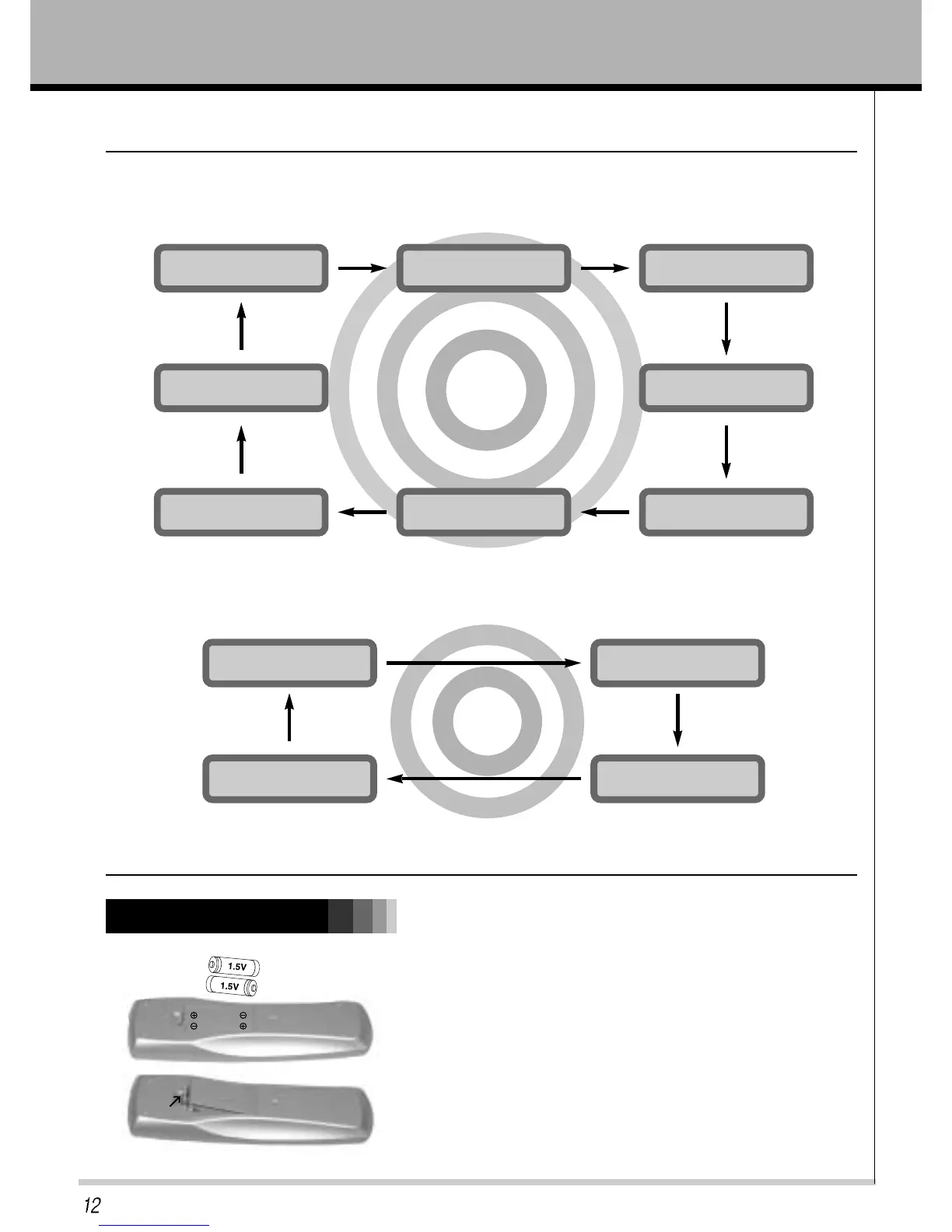
Installing batteries
• Open the battery compartment cover on the back of the
remote control and insert the batteries with correct
polarity, match “+” with “+”, and match “-” with “-”.
• Install two 1.5V “AAA” alkaline batteries.Don’t mix used
batteries with new batteries.
Using the remote control
TV/AV select button on the remote control
Each press of this button changes the mode as shown below
MULTI MEDI select button on the remote control
Each press of this button changes the mode as belows.
Remote Control Key Functions
AV1
TV
HDMI
AV2
PC ANALOG
S-VIDEO
COMPONENT
RGB-DTV
COMPONENT
HDMI
RGB-DTV
PC ANALOG



 To Next Page