OWNER’S MANUAL
DTV Setup(SET-TOP BOX)
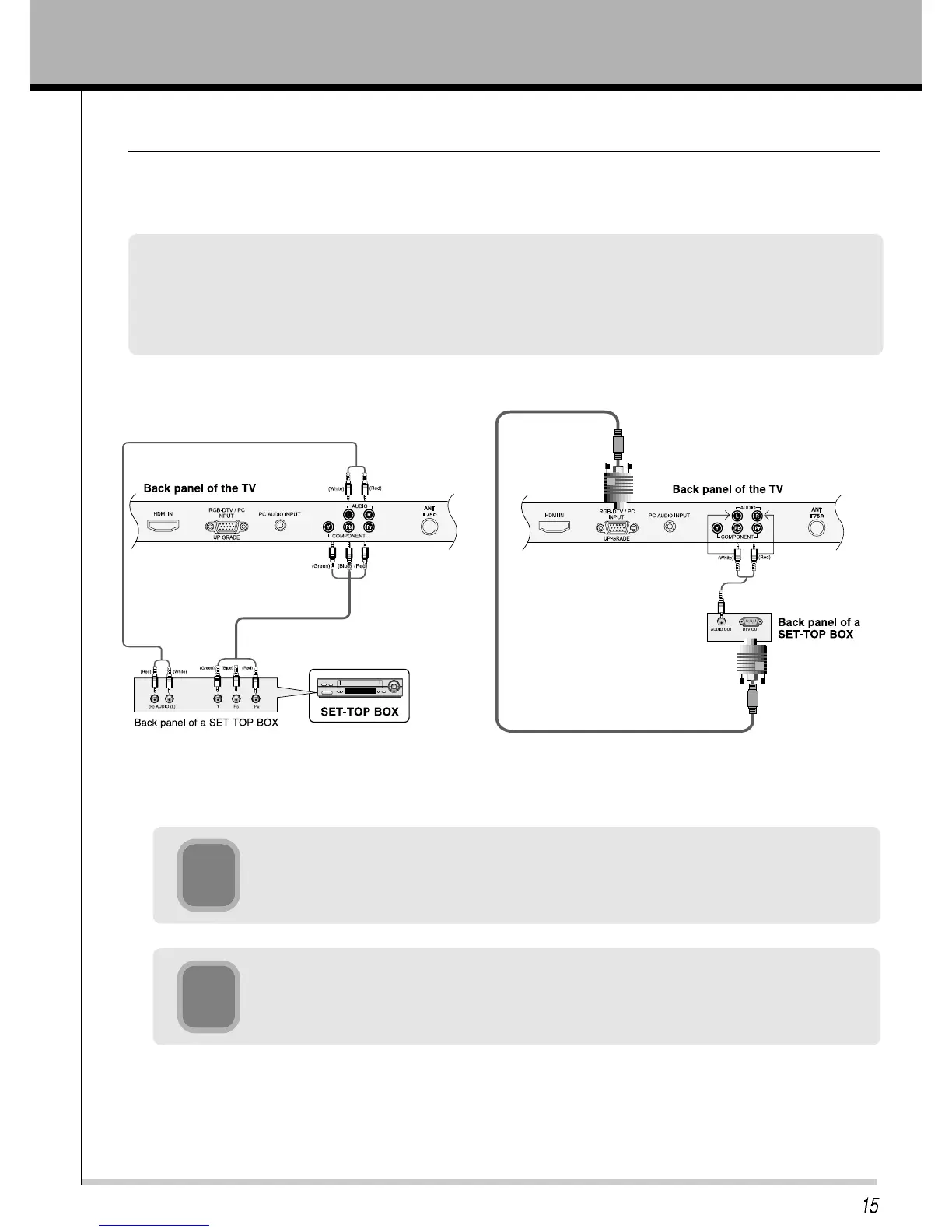
- To watch digital broadcast programs, purchase/connect a digital SET-TOP BOX.
How to connect a DTV
• You can use either the Monitors COMPONENT (DVD/DTV INPUT) input or the single RGB-DTV/PC INPUT for
video connections, depending on your Set Top Box connectors. Then, make the corresponding Audio
connections.
• DTV input is available to 480/576i, 480/576p, 720p, 1080i mode.
2
Tune on the digital SET-TOP BOX.
(Refer to the owner’s manual for the digital SET-TOP BOX.)
1
Press TV/AV button on the remote control to select COMPONENT or RGB DTV.
To watch SET-TOP BOX



 To Next Page