OWNER’S MANUAL
Picture in picture (PIP) function
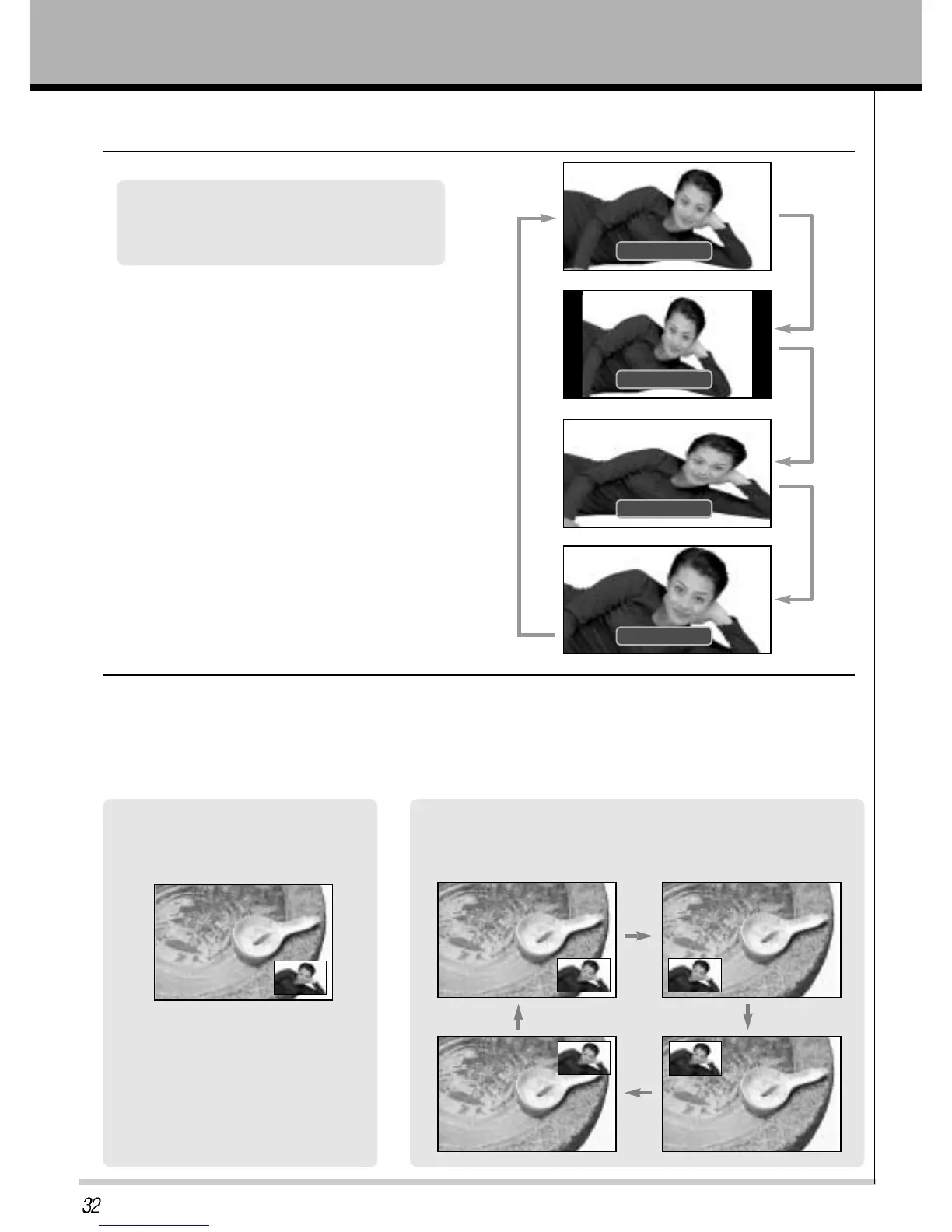
Setting picture format
16:9
16:9
4:3
4:3
Press the ARC button to select a desired
picture format.
• Each time you press ARC button, you can select
16:9 or 4:3 or PANORAMA or ZOOM alternatively.
Press the POSITION button in PIP.
• Each time you press the POSITION button, sub picture Position
is changed as follows.
Moving the sub picture
Press the PIP button.
• It you press the PIP button again,
the function is off.
How to use the PIP
- PIP PICTURE will let you view two seperate inputs on your TV screen at the same time.
- Color of main picture may be different from PIP’s in PIP PICTURE.
- When the main picture is component/RGB-DTV/PC ANALOG/HDMI the sub picture is tv/av1/av2/s-video
ZOOM
ZOOM
PANORAMA
PANORAMA



 To Next Page