38 ChroMate
®
Microplate Reader Operator’s Manual Rev. Q
Sample Dilution Factor (Continued)
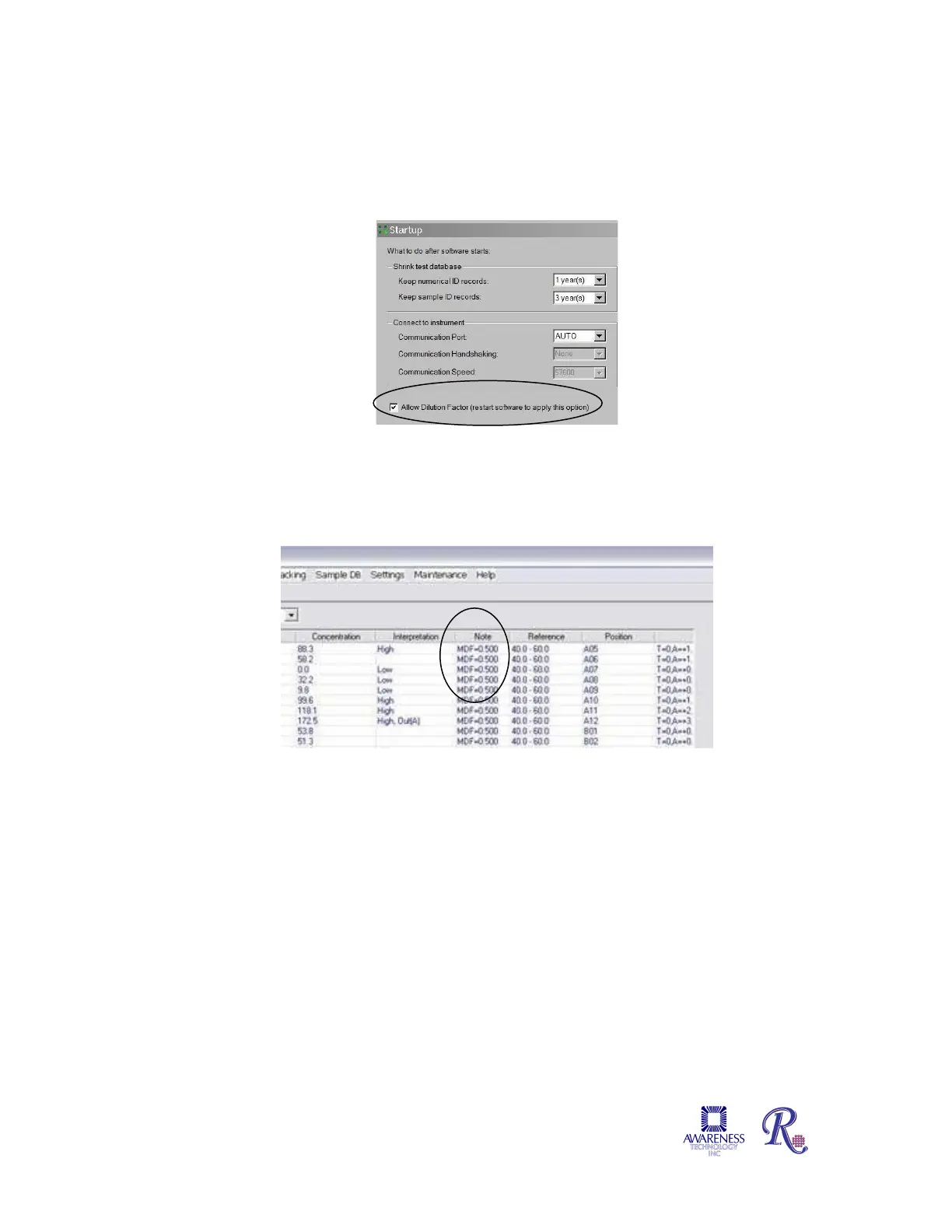
The column is shown by default, but there is option in settings to hide it as some
customers may prefer not to have it shown. Use the check box in the Settings –
Startup screen.
Figure 4.2.3.1-1 Allow Dilution Factor
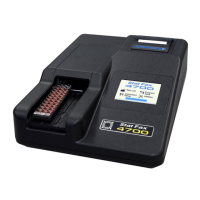
Test Results and Report tabs will use MDF=x.xxx under column Notes to indicate what
dilution factor was used. If the Add to Plate button has been selected, the screen will be
directed to Plate Layout.
Figure 4.2.3.1-2 Dilution Factor can be reported under Notes


 To Next Page