ChroMate
®
Microplate Reader Operator’s Manual Doc. 4300 Rev. Q 67
5.6.2 Modify Sample ID
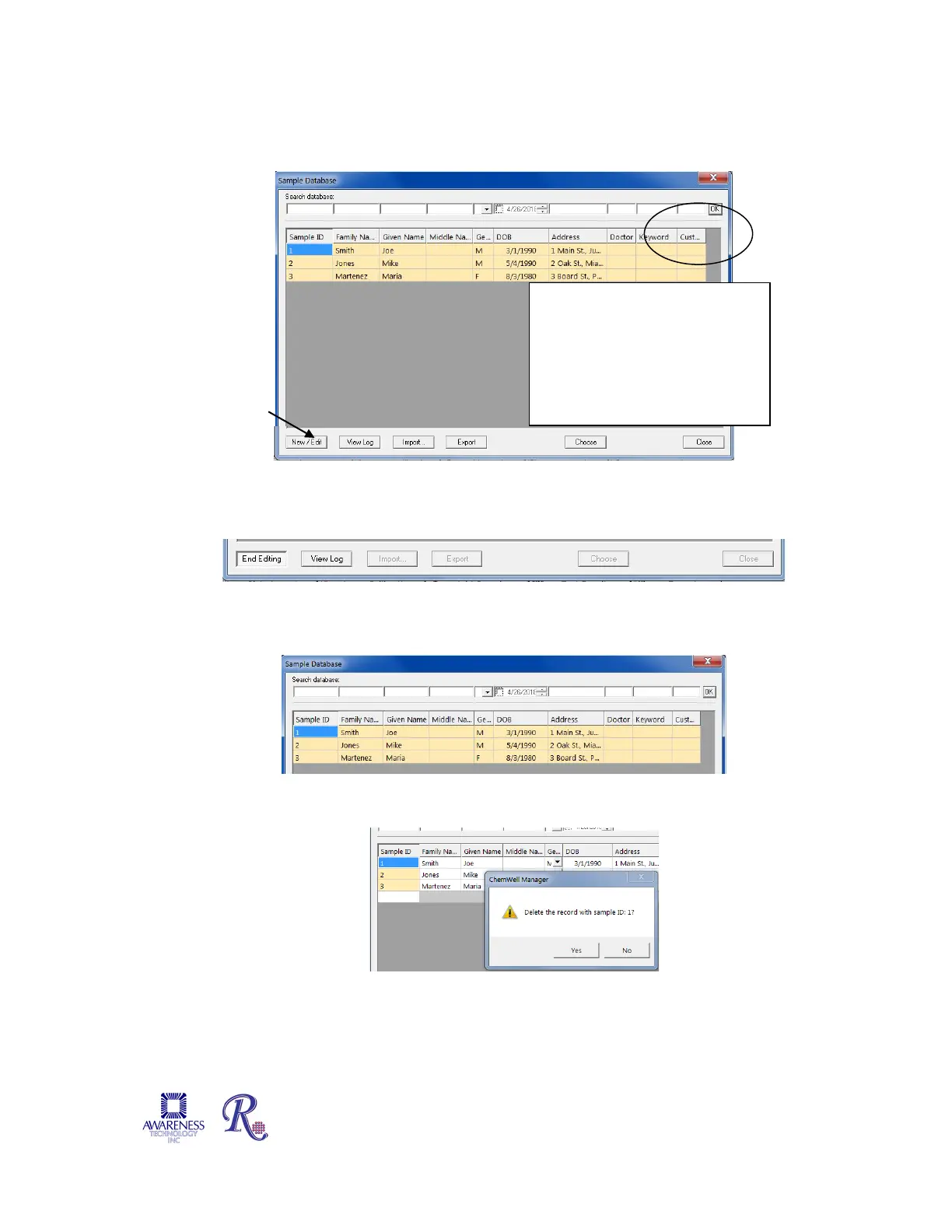
1) Select Edit to edit an existing sample’s information or create a new one.
2) Modify the information and then press the End Editing button to save the changes.
5.6.3 Delete Sample ID
Highlight the items to be deleted then press the Delete key on the keyboard.
A dialog box will open prompting the user to confirm the deletion of the record.
Press Yes to delete, press No to cancel the deletion process.
Additional criterion includes
Keyword or Custom. Information
that can be useful in either
Keyword or Custom can include,
but is not limited to, medical
issuer, study ID numbers, or
chronic diagnosis


 To Next Page