70 ChroMate
®
Microplate Reader Operator’s Manual Rev. Q
5.7 Settings
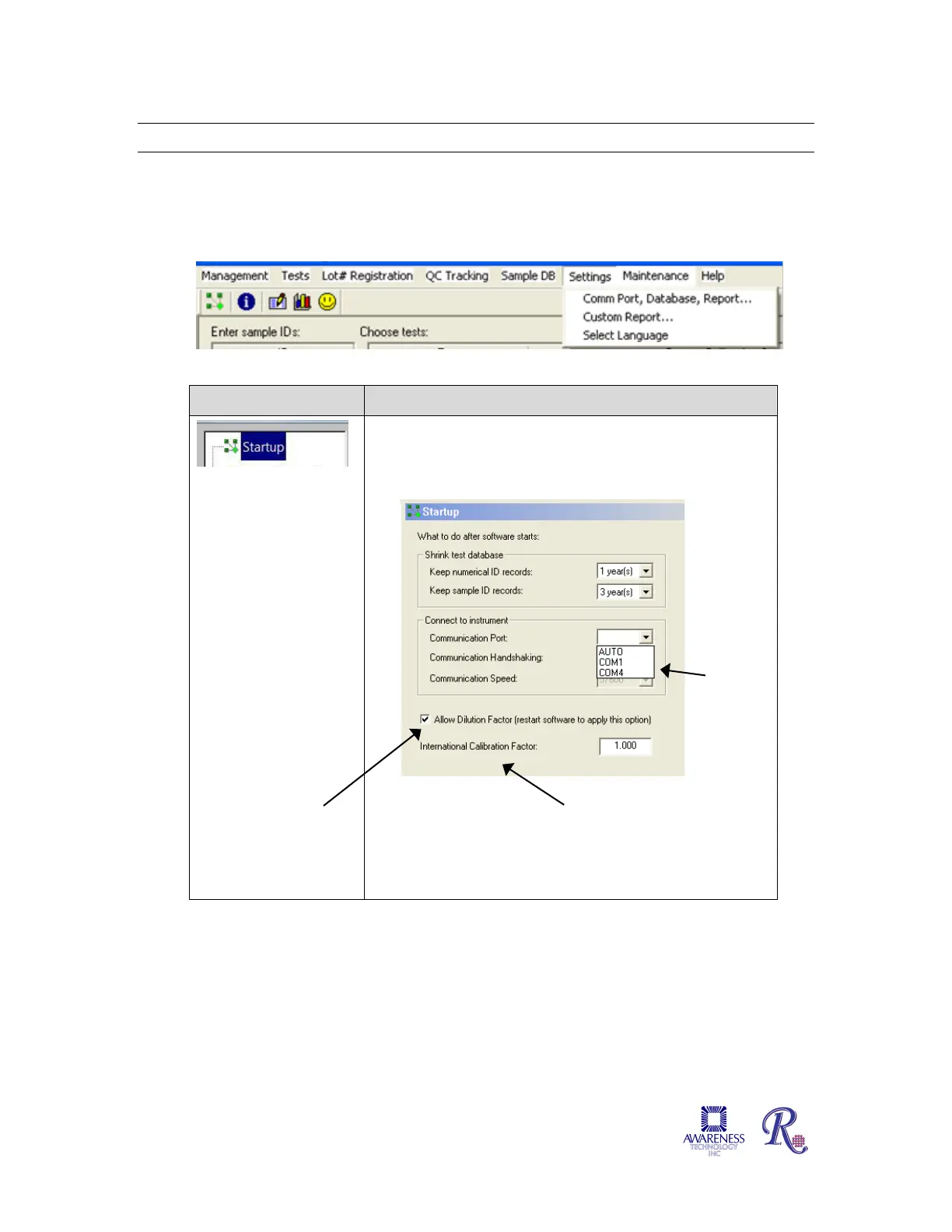
The Settings tab provides the user control over certain settings that pertain to Startup, Sample
Database, Report Appearance, Report Output, Software, Custom Report and Select Language
settings.
5.7.1 Comm Port, Database, Report Settings
5.7.1.1 Startup
Option Description
This window allows
the user to adjust
settings such that
numerical ID and
sample ID records will
be retained for a
specified amount of
time; and adjust the
COM Port setting to
match the COM Port
setting of the
computer
Section 6.2
COM Port
5.7.1.1.1 International
Calibration Factor (ICF)
Sample Dilution Factor


 To Next Page