ChroMate
®
Microplate Reader Operator’s Manual Doc. 4300 Rev. Q 77
5.8.2 Firmware Update
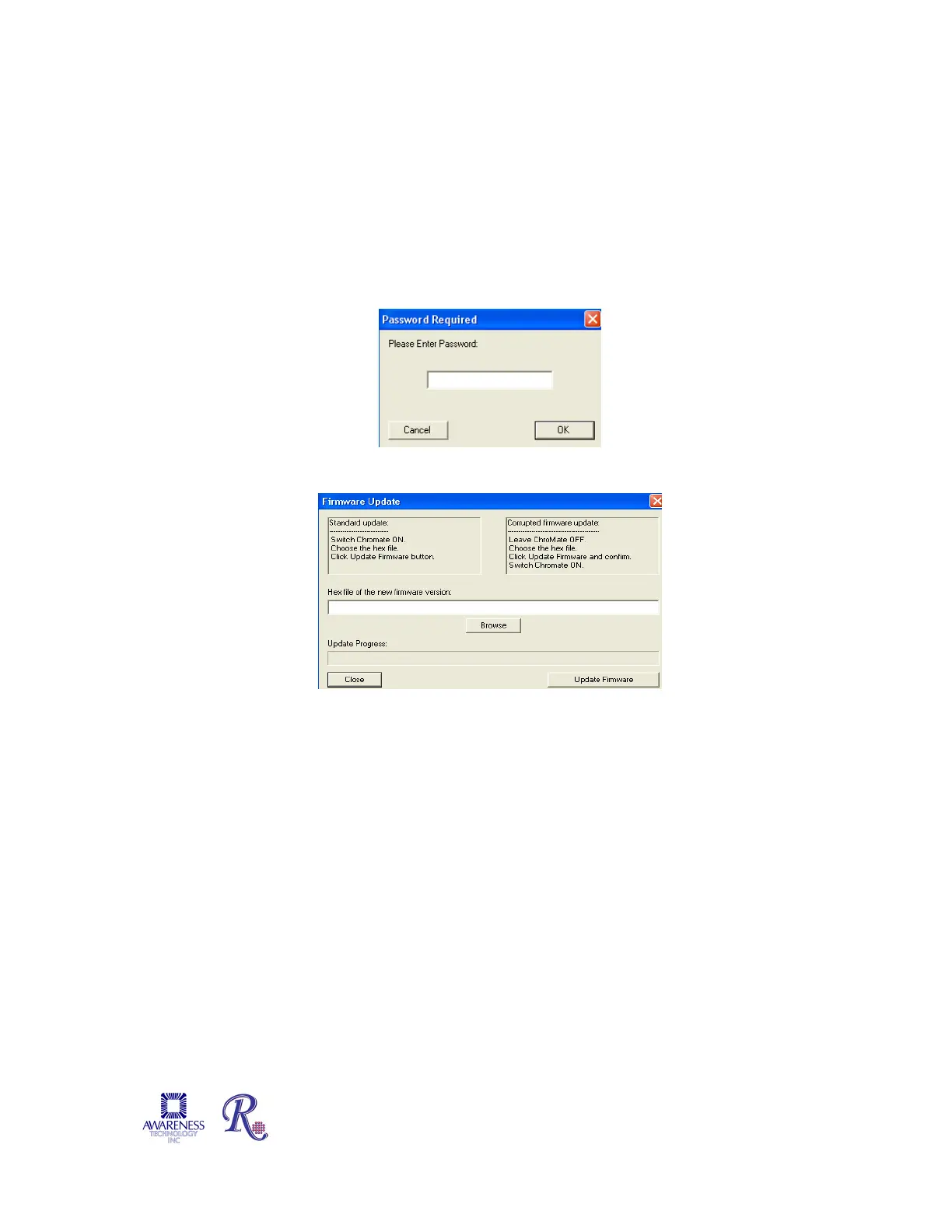
The Firmware Update option allows the user to update to a new firmware version. Access
to this option is password protected. Contact technical support for the password.
Once the correct password is entered the Firmware Update window will open enabling the
user to browse the list of files. Technical support will advise which file to select. The
progress of the update is displayed in the Update Progress field.
NOTE: The instrument will reboot itself after the firmware update is complete.
Figure 5.8.2-1 Password Required
Figure 5.8.2-2 Firmware Update
5.8.3 Calibration Lock/Unlock
The calibration settings for the ChroMate
®
are set by the factory. The Calibration
Lock/Unlock feature is locked at the factory as well. This feature is for emergency use only
by authorized personnel in case the device would need to be recalibrated. Contact
technical support for direction.


 To Next Page