66 ChroMate
®
Microplate Reader Operator’s Manual Rev. Q
5.6 Sample Database
5.6.1 Add Sample ID
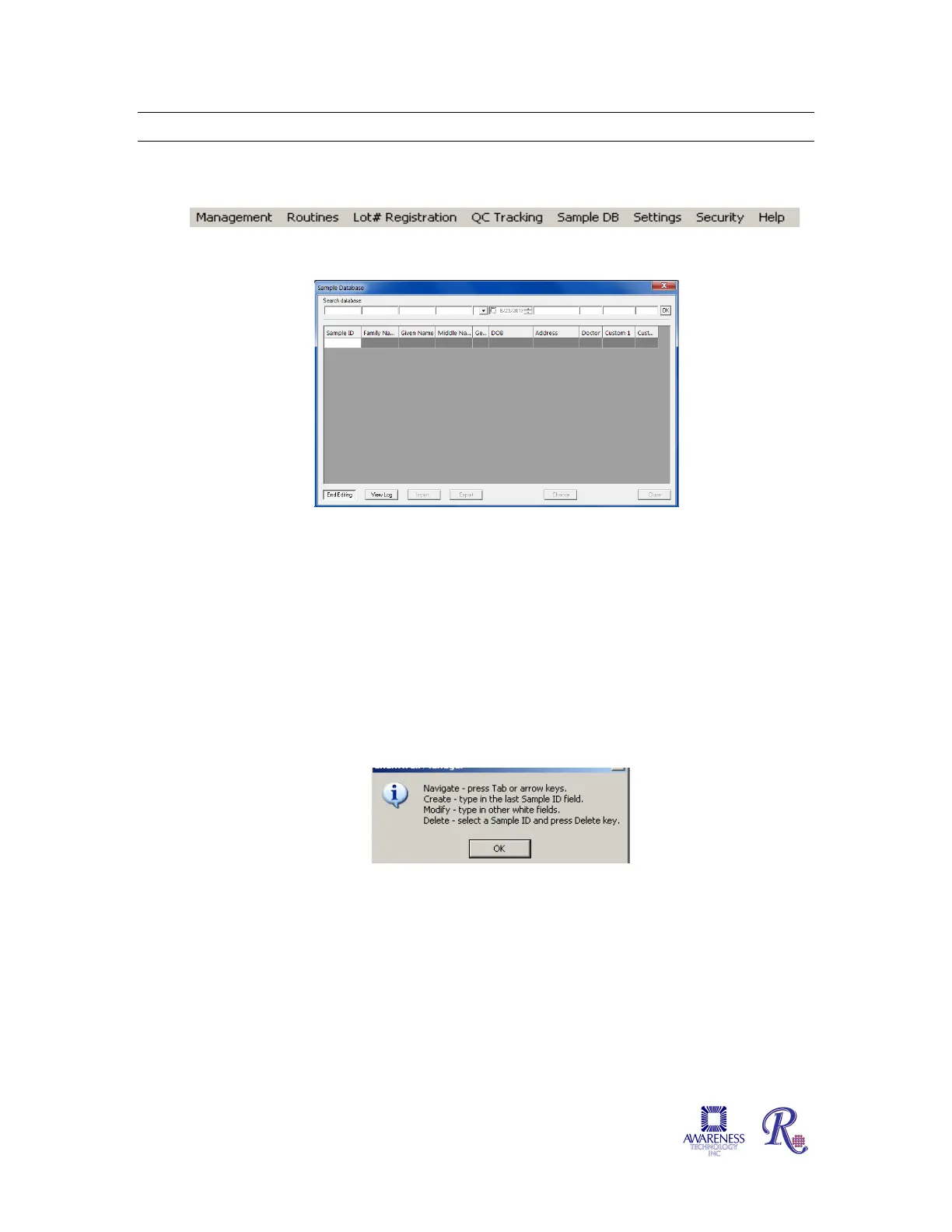
Select Sample DB from the toolbar.
When first opened, the Sample Database window will not have any records to display.
Select the Edit button to enter Sample ID, Family Name, Given Name, etc. This will be
helpful as search criteria when searching the database. Press the Done button when
finished. NOTE: The Edit button toggles to Done.
An instructional dialog box will open.
• Navigate through the fields on the screen by using the Tab or arrow keys on
the keyboard.
• Create a Sample ID by typing in the Sample ID field.
• Modify a Sample ID record by clicking on the field to edit and typing.
• Delete a Sample ID by highlighting the record to delete and press the Delete
key on the keyboard.


 To Next Page