ChroMate
®
Microplate Reader Operator’s Manual Doc. 4300 Rev. Q 59
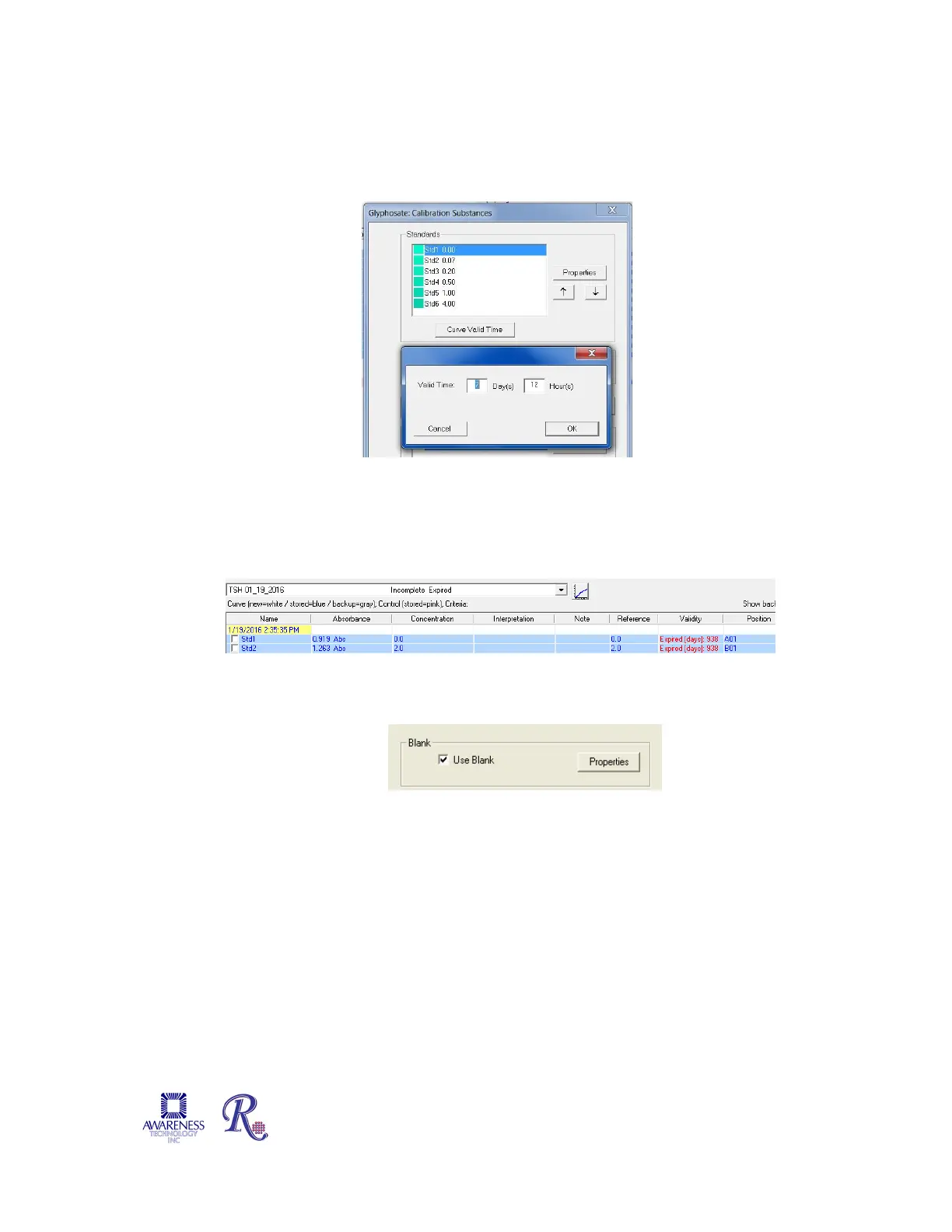
5.3.2.3 Calibration - Curve Valid Time
Set the amount of time, in days, hours, or both, that the Standard Curve should
remain valid. If no entry is made for Day(s) or Hour(s), expiration will be set at the
default of (7) days.
Figure 5.3.2.3-1 Assign Valid Time
Once a calibration curve reaches the end of the valid time period, the Calibration Tab will
indicate “Expired”, and the Calibration report will show “Expired [days]:nn” under the
Validity column.
5.3.2.4 Calibration – Blank Properties
When ‘Use Blank’ is selected, the Properties button is enabled.
Figure 5.3.2.4-1 Allow for Blank and Assign Properties
Click on Properties to enter an Absorbance Range value, and gain access to options
of ‘Issue Warning’ or ‘Invalidate Tests’ as action to take when result is out of range,
and to set the Valid Time, in days/hours. If no entry is made for Day(s) or Hour(s),
expiration will be set at the default of (7) days.


 To Next Page