OXYGEN 1000 & OXYGEN 2000 · User Manual · ENG
SURFACE |TALKBOX CONNECTIONS
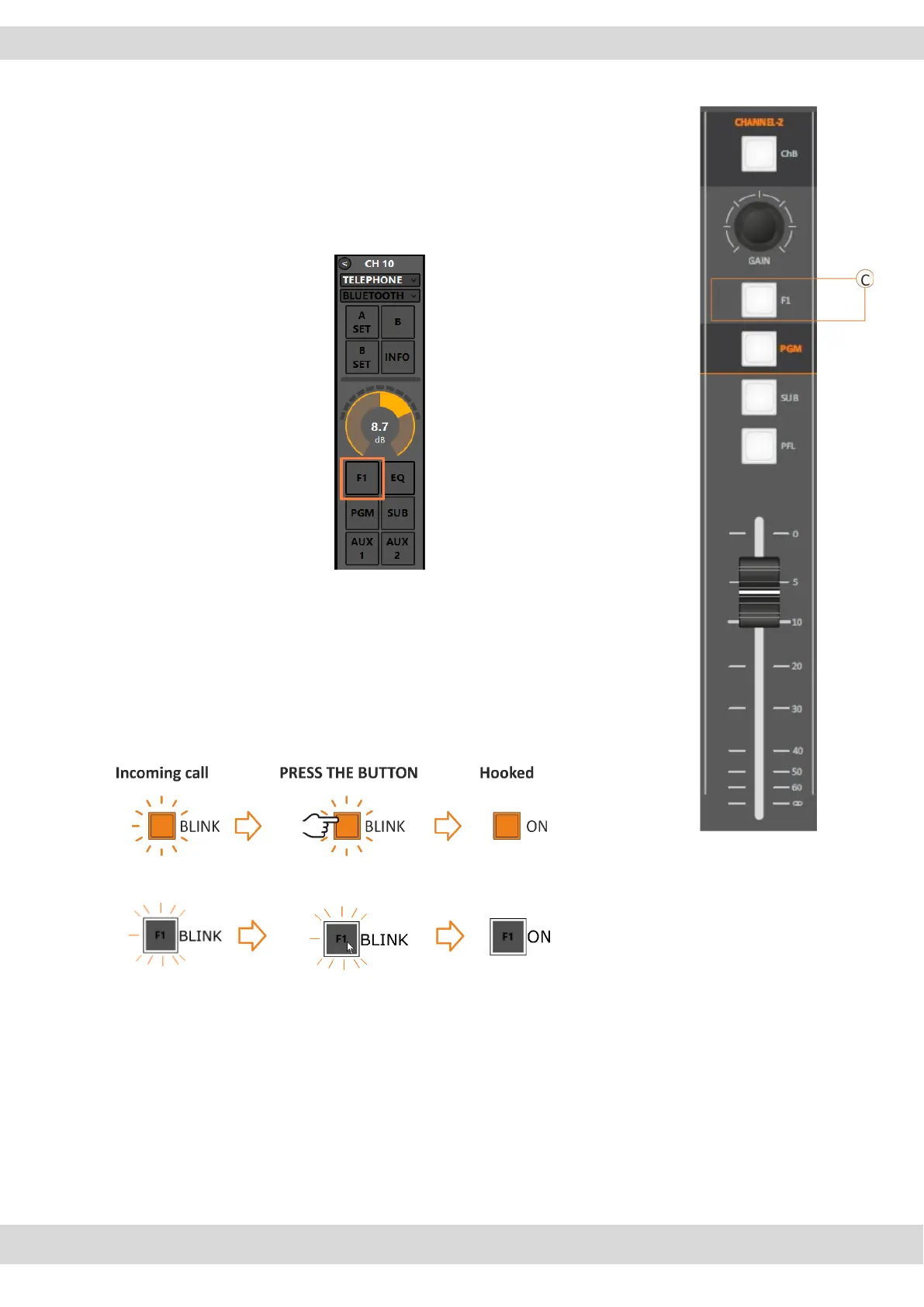
C. F1 BUTTON
Telephone Channel / Telco (Default Setting).
The same parallel workflow could be executed from the device surface or
from the OXYGEN REMOTER control software as explained by the below image:
In the presence of an incoming call, the F1 button starts blinking,
By pressing F1 it will hook the call.
- F1 LED off – the line is not hooked.
- F1 LED blinks – RING – there is an incoming call.
- F1 LED on – the line is hooked.
By pressing F1 again you drop the line.
CLICK THE BUTTON



 To Next Page