SURFACE|TALKBOX CONNECTIONS
OXYGEN 1000 & OXYGEN 2000 · User Manual · ENG
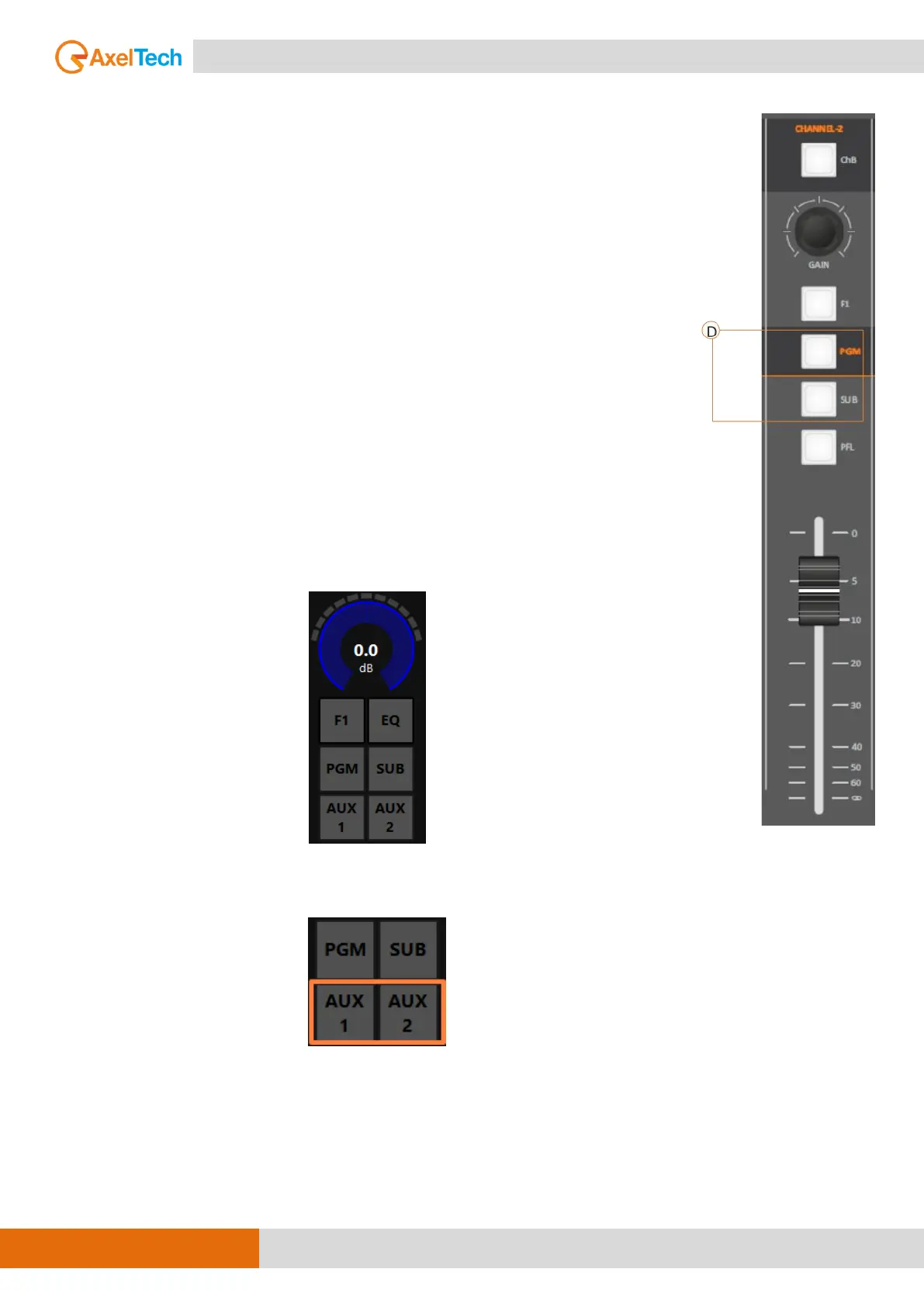
D. PGM/SUB BUTTONS
The PGM, SUB buttons forward or not the output signal to the related BUSS,
PGM and SUB are 2 logical audio BUSS not 2 phisical audio BUSS.
the RGB LEDs under the related button has three different states color:
1) disabled (LED OFF)
2) enabled + Channel ON
3) enabled + Channel MUTE/Warm state
The different status of these two BUSS button is always related with the
channel (in this example CHANNEL-2).
When a channel switches from ON to OFF or to the standby status (by fader
or by the Oxygen Remoter ON button), the related LEDs switches from ON
Colour to Standby color. This function allows the user to understand the
channel and the BUS status.
As you can see by the following picture by OXYGEN REMOTER side
you have 2 more additional audio BUSS: AUX-1, AUX-2.
AUX-1 and AUX-2 are only settable and usable by OXYGEN REMOTER control
software.



 To Next Page