OXYGEN 1000 & OXYGEN 2000 · User Manual · ENG
SURFACE |TALKBOX CONNECTIONS
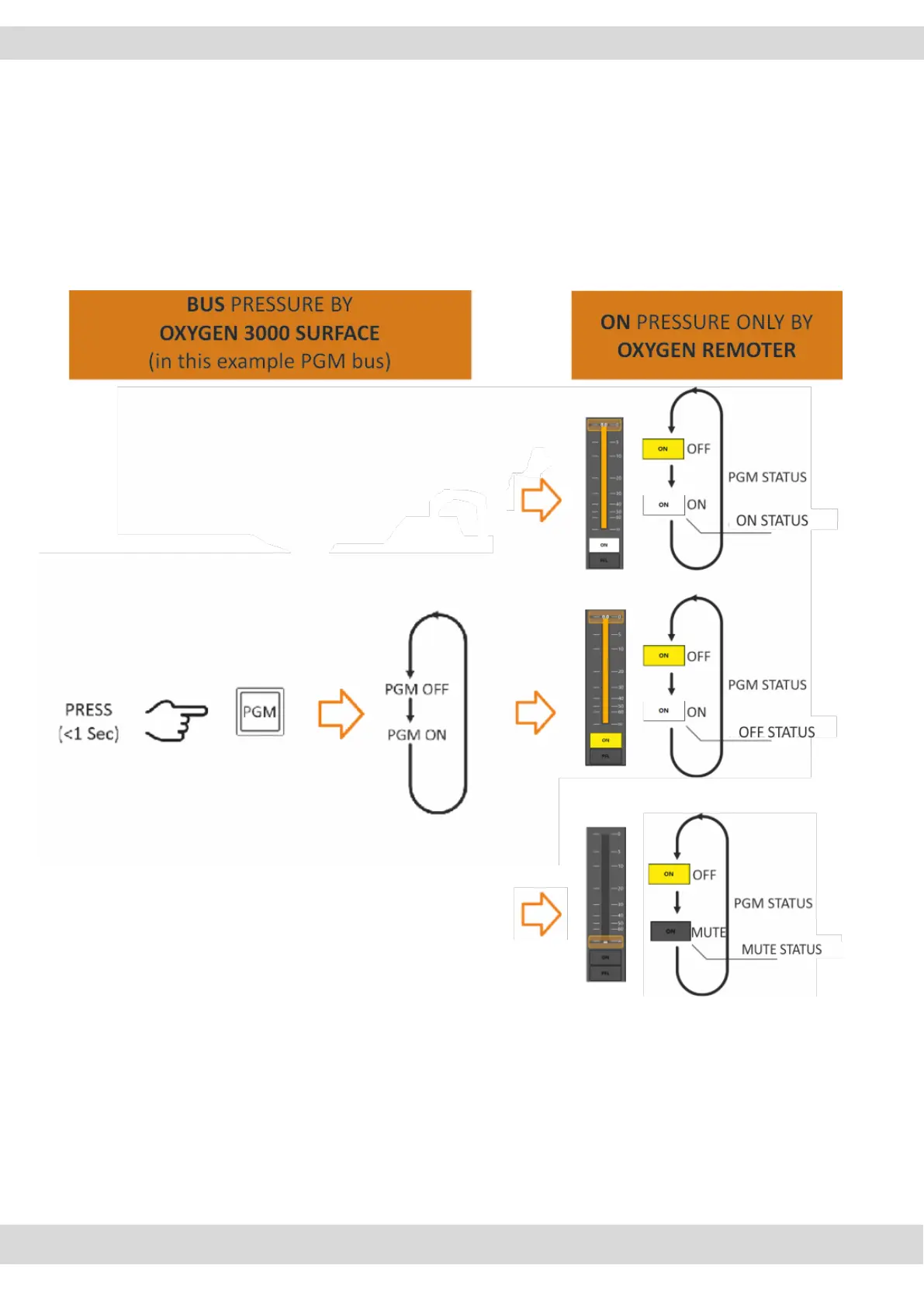
ON/OFF channel status could depend on:
ON/OFF of the OXYGEN REMOTER ON button.
Fader position changeable by
o the console surface
o OXYGEN REMOTER control software
NB: It’s possible to set AUX-1 and AUX-2 to be POST-Fader, PRE-Fader, or PRE-FADER ALWAYS ON.
This choice is settable from the OXYGEN REMOTER settings menu of every channel input source.
In example into the menu: SETUP / MENU / AUDIO / INPUTS / MIC/MONO / MIC 1



 To Next Page