OXYGEN 1000 & OXYGEN 2000 · User Manual · ENG
SURFACE |TALKBOX CONNECTIONS
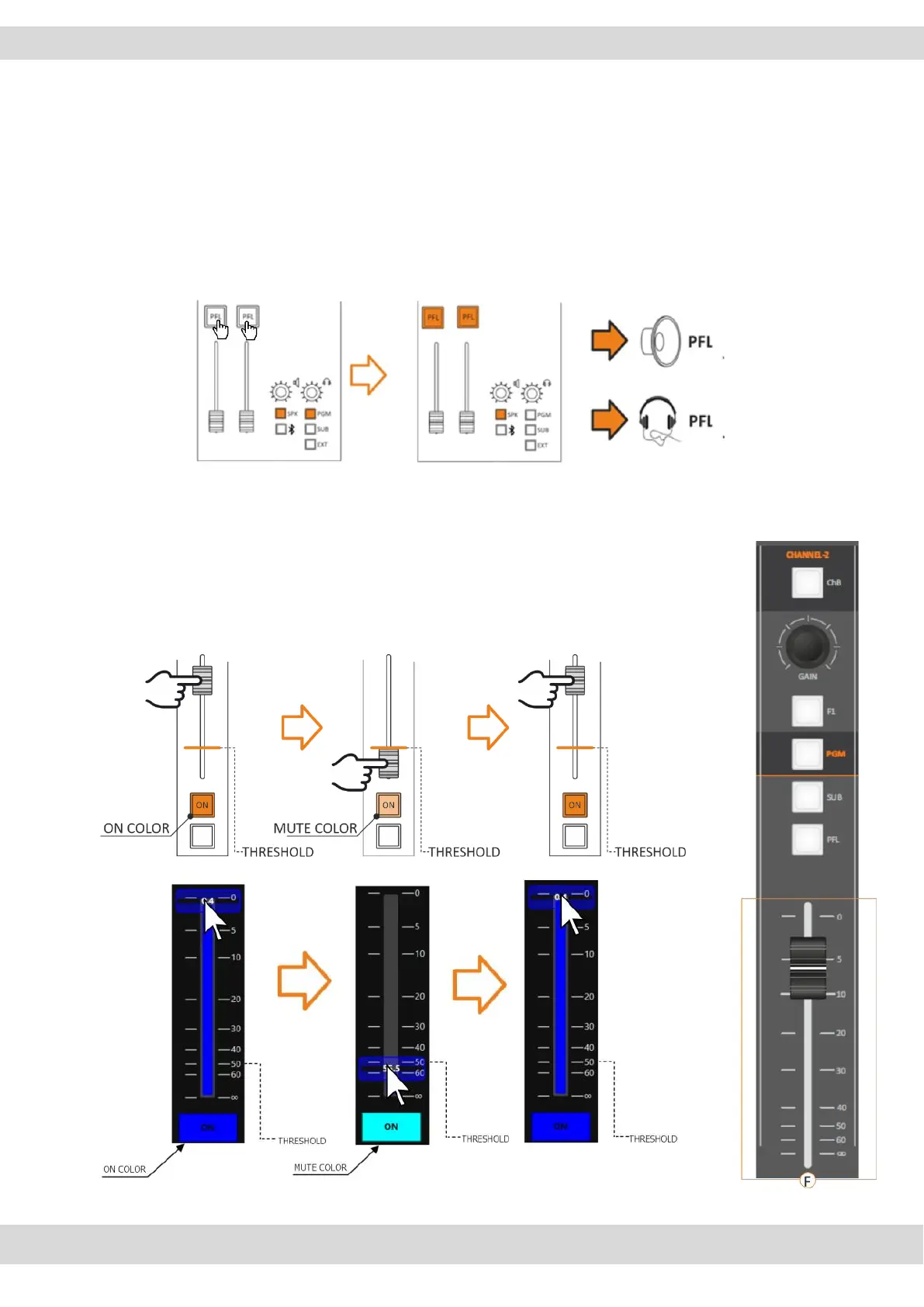
By going to SETUP / AUDIO / SETTINGS can change the PFL MODE between
SINGLE PFL and SUM PFL.
SINGLE PFL: Allowed to select/listen to only one PFL per time.
SUM PFL: Allowed to select many PFL and listening to them all at the same time
as shown in the following picture:
F. FADER
A command is generated every time the Fader passes through the threshold value:
ON - crossing the threshold point from bottom to top.
OFF - crossing the threshold point from top to bottom.



 To Next Page