OXYGEN 1000 & OXYGEN 2000 · User Manual · ENG
SURFACE |TALKBOX CONNECTIONS
To unmute the Headphones just press their knob or increase/decrease
the audio level by rotating the knob.
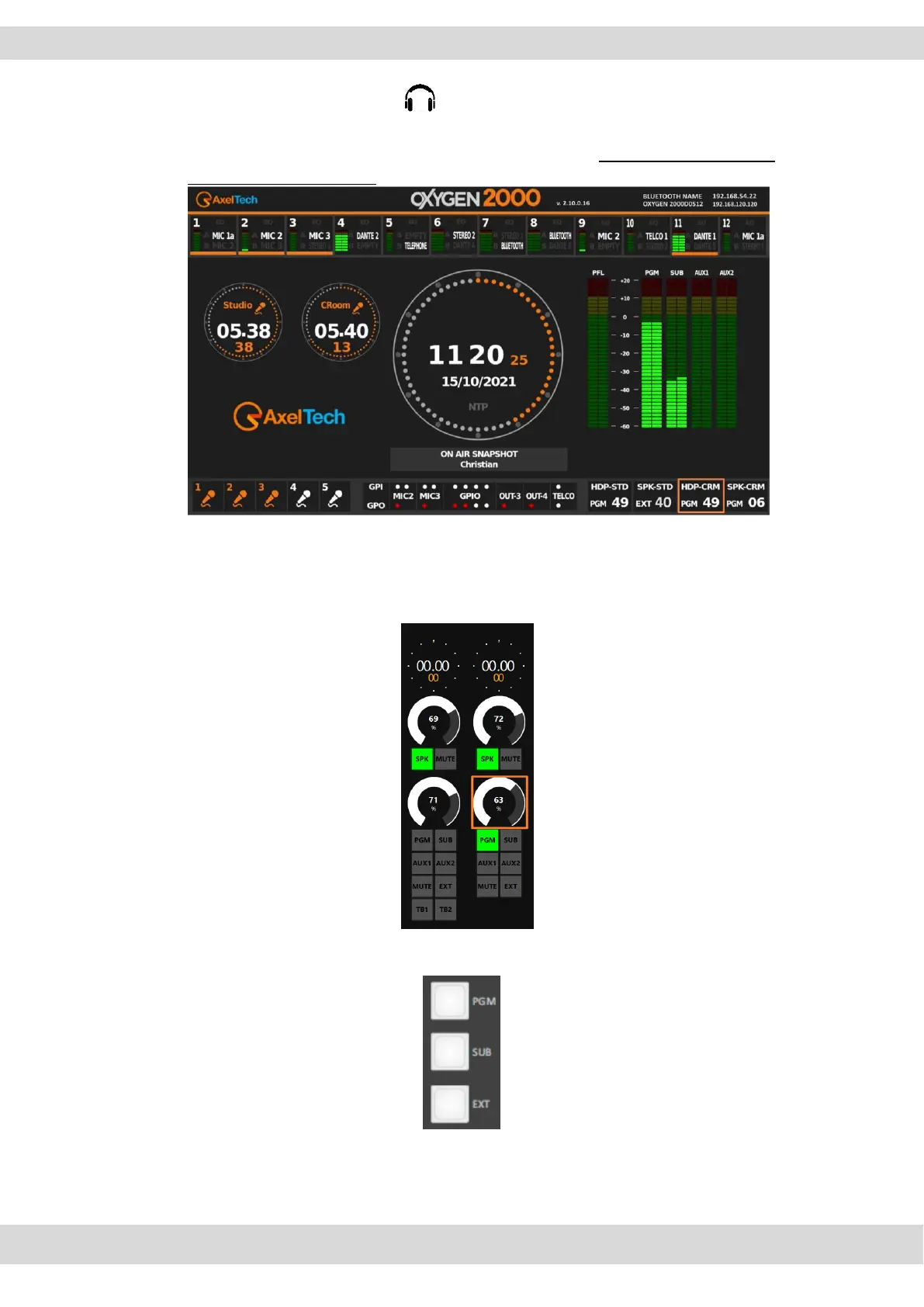
The Control Room Heaphones level is displayed in the bottom-right section of
the HDMI output screen:
By remoter side you can change the same parameter by the following squared
controller:
By following buttons select which is the audio BUS that you want to monitor by control room
headphones and speakers:
NB: you can define the desired EXT source by the following OXYGEN REMOTER menu
SETUP / AUDIO / SETTINGS / EXT. INPUT



 To Next Page