SURFACE|TALKBOX CONNECTIONS
OXYGEN 1000 & OXYGEN 2000 · User Manual · ENG
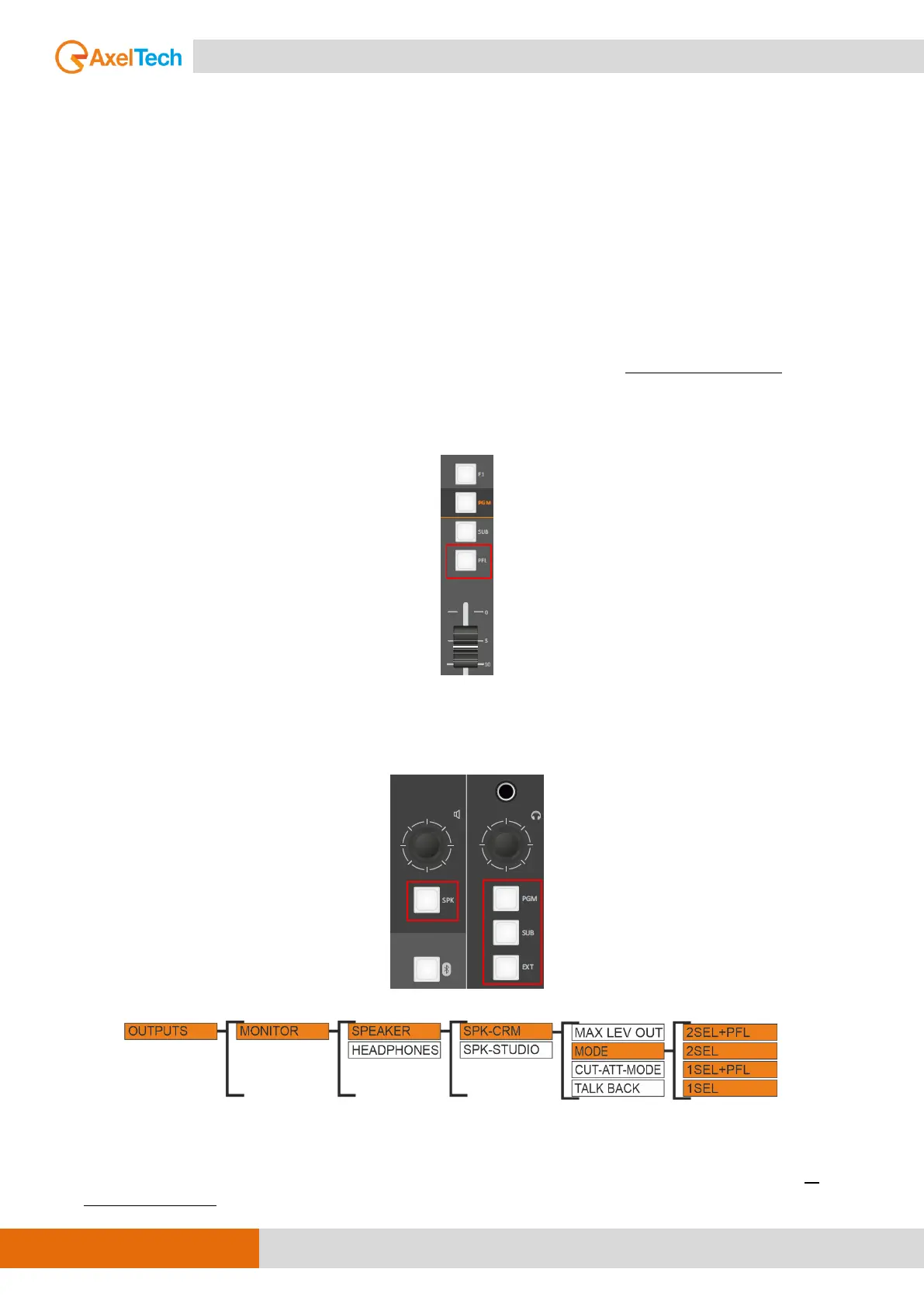
B. CONTROL ROOM SPEAKERS / MODE
SETUP / AUDIO / OUTPUTS / MONITOR / SPEAKER / SPK-CRM / MODE
MODE: 1SEL, 1SEL+PFL, 2SEL or 2SEL+PFL
PFL (pre-fader listening): This mode allows you to listen in speakers to the audio of the single-channel
before the intervention of the fader.
1SEL (one selection): This option allows you to listen in speakers to only ONE selected output from
output section (PGM, SUB, EXT by surface and Oxygen Remoter, AUX1, AUX2 only by Oxygen Remoter).
1SEL+PFL: This mode allows you to listen to ONE selected output or PFL if the PFL button is pressed in
a channel.
2SEL (two selection): This option allows you to listen to ONE selected output (PGM, SUB, EXT) in SPK-
CRM, and by pressing the SPK button you will be able to select a different output to be listen on HDP-
CRM.
EX.: if you need to listen to different output in SPK-CRM Control Room Speakers, select the 2SEL
mode from the setting and press the SPK button in section (it will show up in warm color), then
press any other output button from section (it will show up in warm color) to hear that output in
the speakers only. (see the next figure).



 To Next Page