OXYGEN 1000 & OXYGEN 2000 · User Manual · ENG
SURFACE |TALKBOX CONNECTIONS
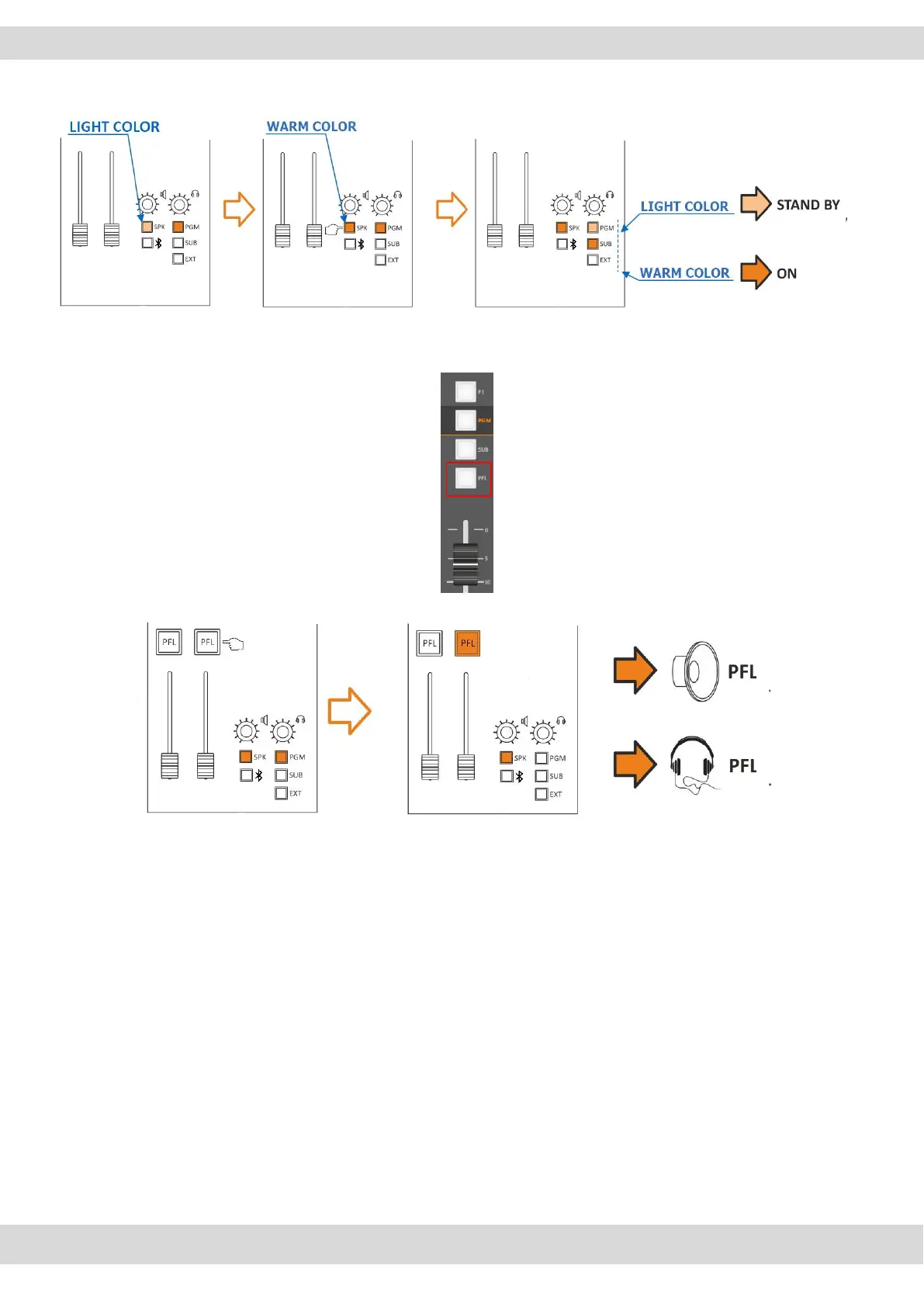
2SEL+PFL: This mode allows you to listen to ONE selected output (PGM, SUB, EXT) in SPK-CRM, and by
pressing the SPK button you will be able to select a different output to be listen on HDP-CRM. You will
listen PFL if PFL button is pressed in a channel.
C. CONTROL ROOM SPEAKERS / CUT-ATT-MODE
SETUP / AUDIO / OUTPUTS / MONITOR / SPEAKER / SPK-CRM / CUT-ATT-MODE
CUT MODE: it’s allowed the microphone to CUT OFF the audio of control room loudspeakers once the
microphone goes to ON.
The opening of a microphone channel (if configured appropriately) can generate the closing command
of the loudspeakers.
That is possible to choose one or more microphone to cut the loudspeaker output of the CR “Control
Room” by following this path:
SETUP / AUDIO / INPUTS / MIC / SPK-CUT (OFF, ST, CR, CR+ST)
When you select CR, press down the knob to confirm the selection and the CUT indicator will blink as
described by the following picture.



 To Next Page