SURFACE|TALKBOX CONNECTIONS
OXYGEN 1000 & OXYGEN 2000 · User Manual · ENG
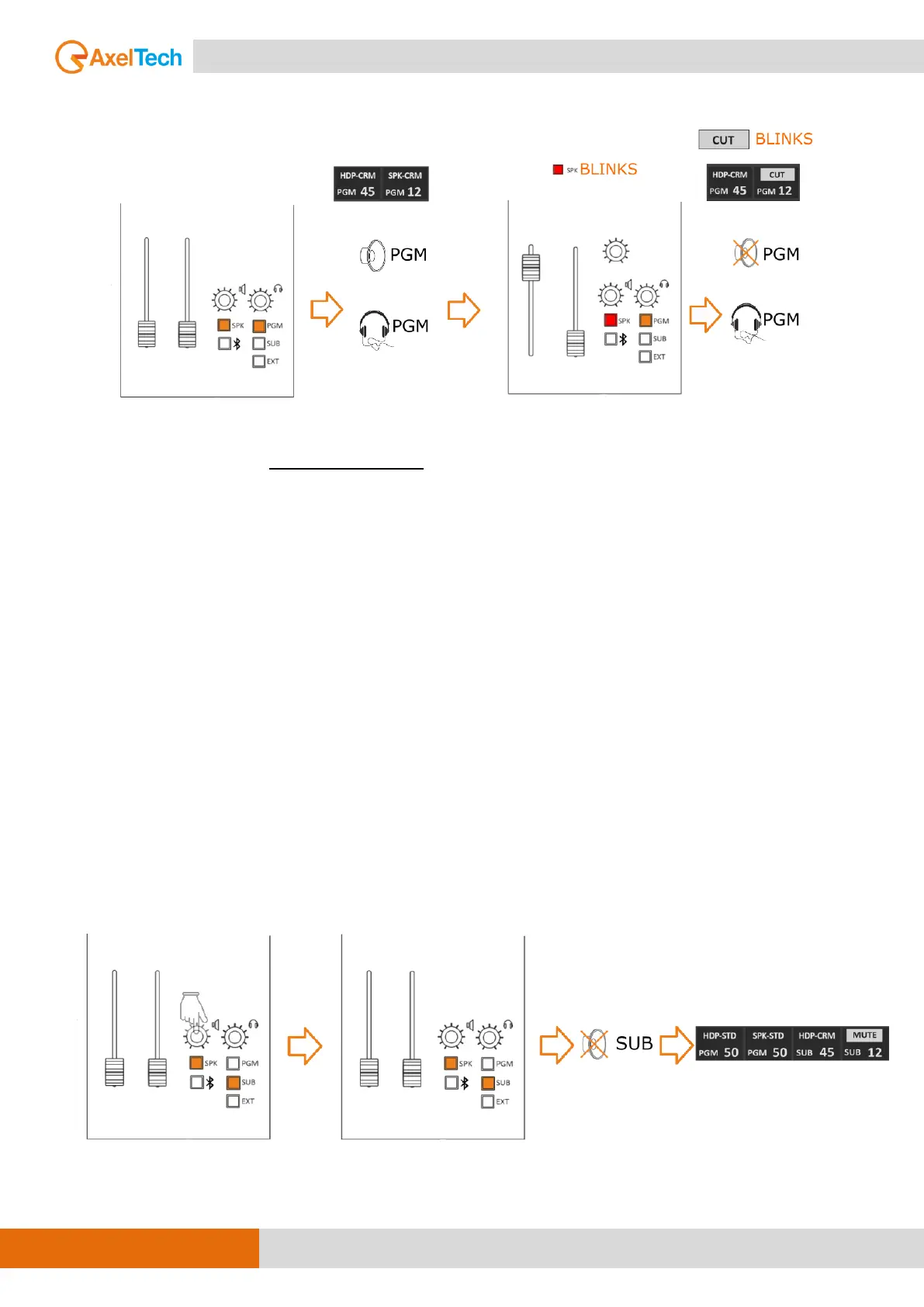
When you open the associated source with a CUT function you will see it will MUTE CR
Loudspeakers output to prevent LOOP audio and the SPEAKER icon at LCD will start blinking.
ATT. (attenuation) MODE: It helps reduce acoustic flux from flowing into the speakers.
It possible to decrease the speakers output -40, -30, -20 or -10 dB.
EX.: If we want to reduce the sound coming out of the speakers by 40 dB less than the current
value, then we have to choose -40. The same thing if we want to reduce the current volume when
opening any of the microphones with a value of 10 decibels, then we have to choose -10 and
confirm the selection by pressing the button around until the selection color changes to yellow.
The CUT mode is triggered by the change from OFF to ON of a microphone source to which it has
been set closing of the loudspeaker.
As shown in the MENU this function (CUT) is associated only with the loudspeakers, to avoid
LARSEN effects “feedback loop” from occurring between the nearby loudspeakers and On-Air
microphones.
On the other hand, if you need to MUTE the loudspeakers manually just PRESS the volume knob
down. PRESS the volume knob a second time or rotate it to activate the loudspeakers output and
amplification or attenuation. The status of MUTE-SPK is indicated by a red cross on the SPEAKER
icon.
PUSH IT DOWN



 To Next Page