20
AXIS 207W/AXIS 207MW - Live View Config
Live View Config
Layout
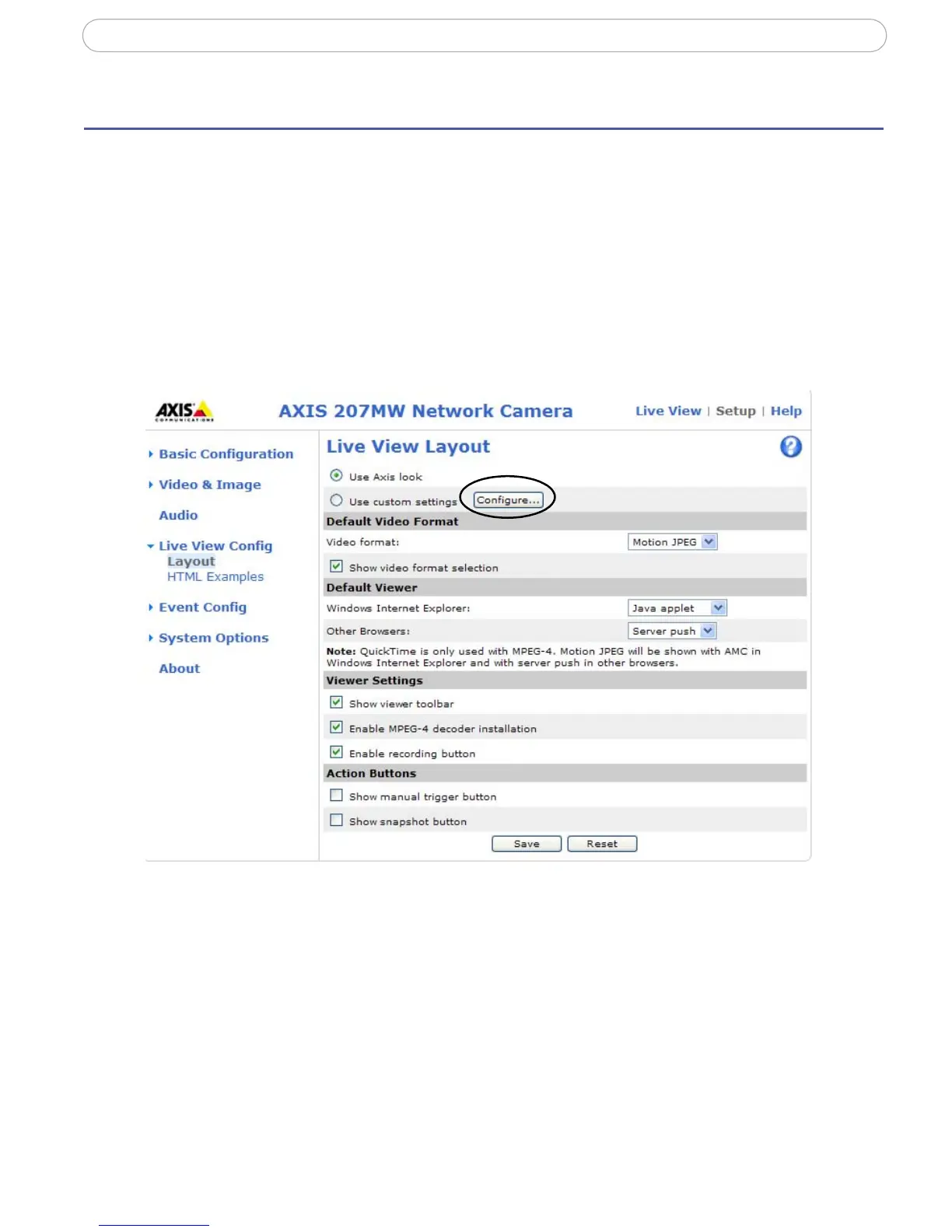
Here you can define the layout of the Live View page.
The layout can be set in two ways:
• Use Axis look - the layout is unchanged.
• Use custom settings - modify the Axis look, with your
own colors, images. Click the
Configure button. See Customizing the default page, on page
21.
The other settings on this page con
cern other features you can configure, such as action
button, output button, default video stream and viewer. See page 21 for more information.



 To Next Page