AXIS HOV Housing VT Page 3
ENGLISH
AXIS HOV Housing VT
Follow these instructions to complete the installation of the AXIS HOV Housing and Axis
network camera:
Warning! High voltage - the electrical connection should be made by an authorized electrician.
Please observe relevant national and local regulations for the installation.
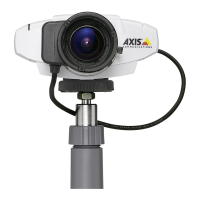
Axis Network Cameras
The following camera models are supported:
Note: Before you begin, make sure that the AXIS HOV Housing package contents, power sup-
ply and the required cables, tools and documentation are available.
See “Package contents” on page 4.
1. “Package contents” on page 4
2. “Install the bracket” on page 5
3. “Install the power supply in the housing” on page 6
4. “Install the camera in the housing” on page 7
5. “Connect the power cable to the camera” on page 8
6. “Route the cables to the housing” on page 9
7. “Attach the housing to the wall bracket” on page 9
8. “Connect the 100-240V AC power cable to the housing” on page 10
9. “Complete the installation” on page 10
Camera Model: Comment:
• AXIS 210 - Indoor use only
• AXIS 210A - Indoor use only
• AXIS 211 - Outdoor/Indoor
• AXIS 211A - Outdoor/Indoor
• AXIS 211M - Outdoor/Indoor
• AXIS 211W - Outdoor/Indoor, external antenna required, see www.axis.com
• AXIS 221 - Outdoor/Indoor
• AXIS 223M - Outdoor/Indoor



 To Next Page