Section 2: Basic Installation
12 AXIS 700 User’s Manual
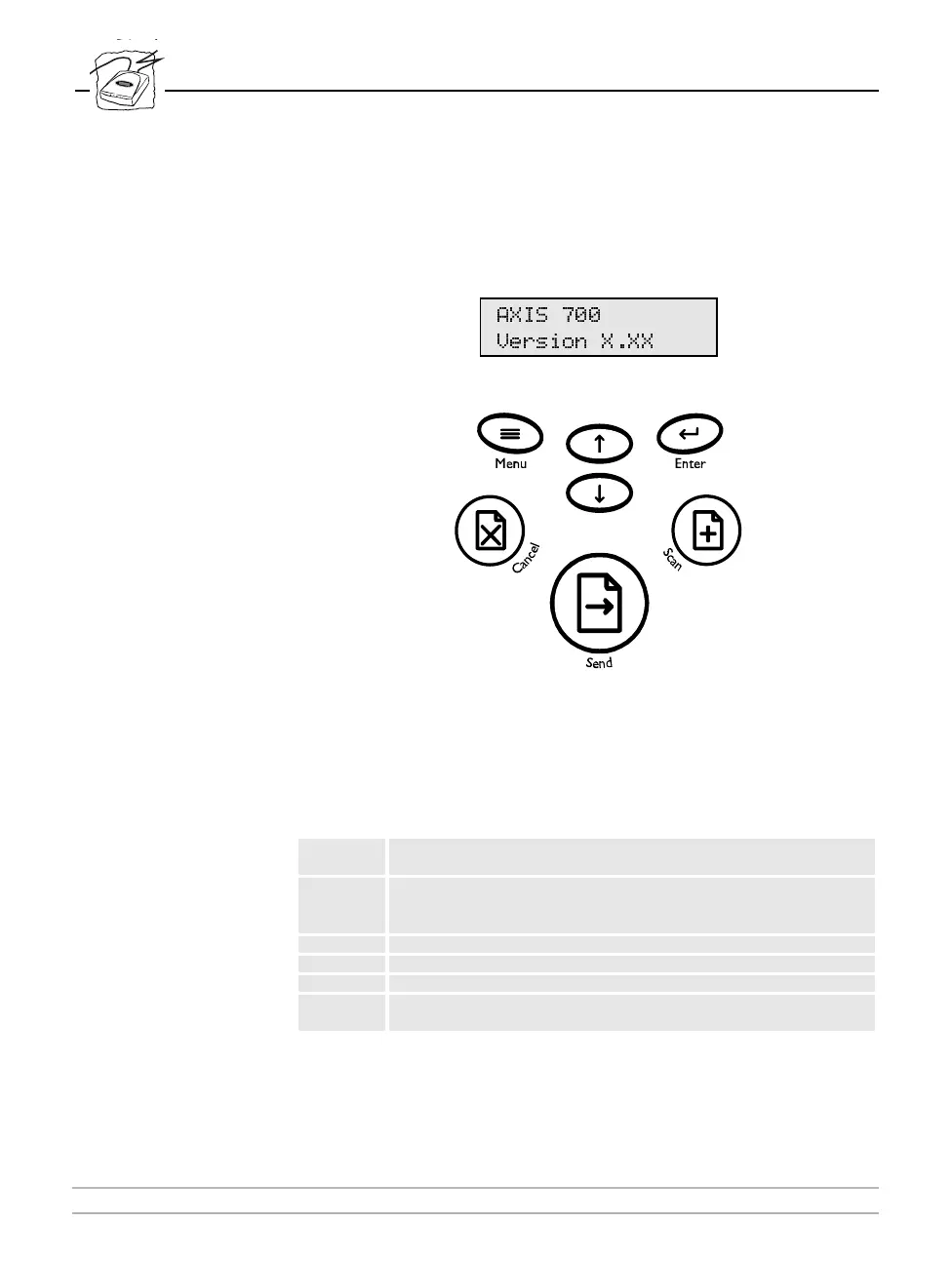
The AXIS 700 User Interface
AXIS 700 User Interface
The AXIS 700 message display consists of 2 lines by 16 characters
indicating status and menu options. The user interface includes these
keys:
Key Description
Scan
Scans one or more pages from the attached scanner’s flatbed or sheet
feeder.
Send
Sends the scanned image to its destination and releases the AXIS 700
for other users. Pressing this key only, both scans and sends the image
to its destination.
Menu Selects scanning functions.
Enter Selects multiple destinations and saves IP settings.
Arrow Allows the scrolling and selection of menu options.
Cancel
Cancels the scanning process at any stage and clears any selections
made from the menu.
$;,6
9HUVLRQ ;;;



 To Next Page