Appendix A: Troubleshooting
52 AXIS 700 User’s Manual
Error Conditions
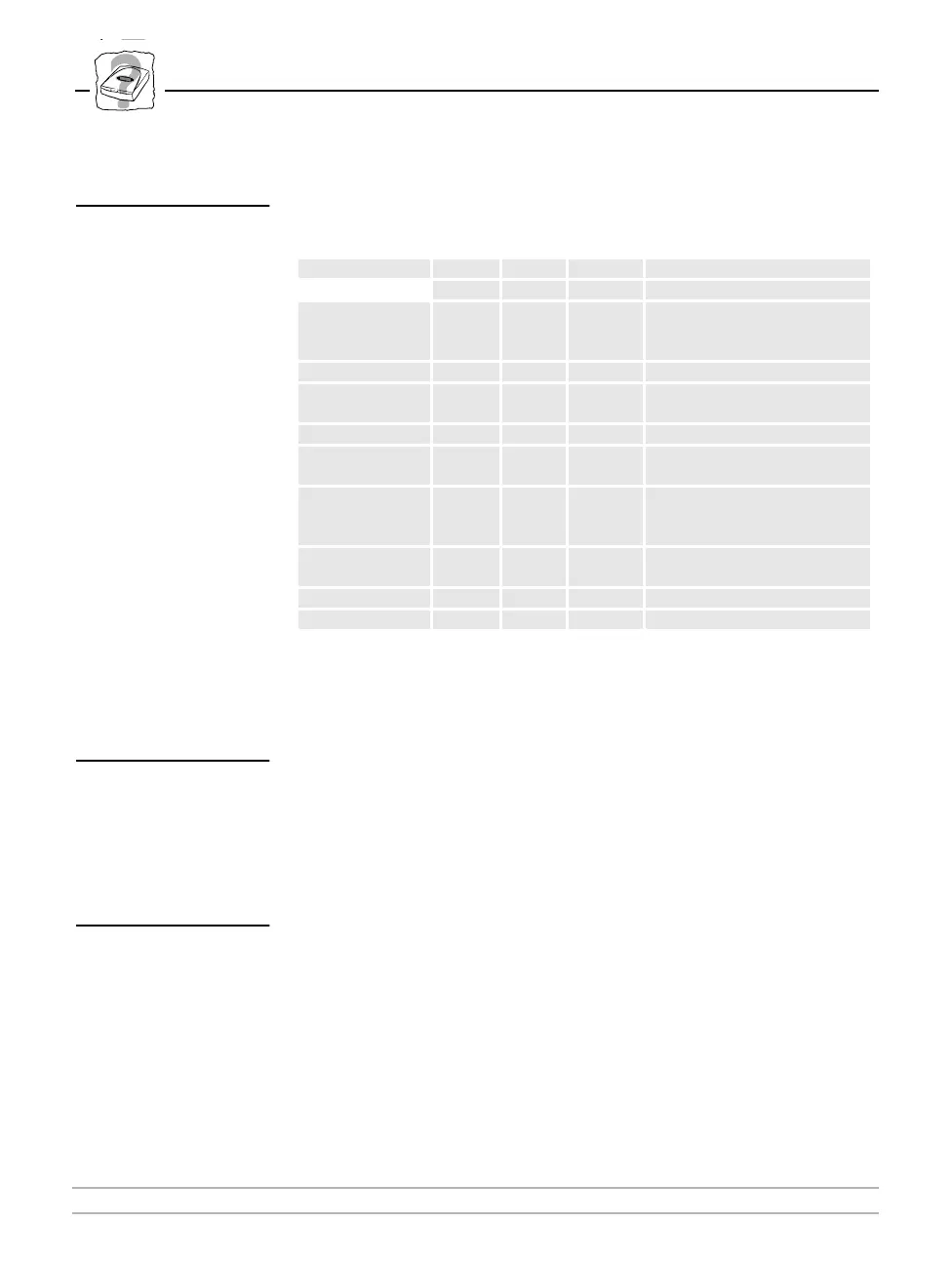
This table lists a summary of known error conditions:
For more details on the AXIS 700 LED error conditions, check the
AXIS 700 support pages on the WWW.
Status Indicator On
If the Status indicator remains on after startup, this may indicate an
error. Most likely, there is a problem with the scanner
communications. The message display will indicate possible error
status.
Network Indicator
Off
The Network indicator flashes when there is network traffic to the
AXIS 700. If it remains off and you know there is network activity,
check the network connection.
Event
Status
LED
Busy
LED
Network
LED
Remarks
Power up On Off Off Check SCSI cable to scanner
Off Off Off Check RJ45 cable to network
Idle Off Off Off
Check RJ45 cable to network. If
known network traffic, the
Network LED should flash.
Error in EEPROM Blink Off Off Consult Network Administrator
Error in FLASH
PROM
Flash Off Flash Consult Network Administrator
Error in SRAM Flash Flash Off Consult Network Administrator
Error in
DRAM/DIMM
Flash Off Off Consult Network Administrator
DRAM/DIMM
configuration
error
Flash Flash Off Consult Network Administrator
SW-HW combi-
nation error
Flash Flash Flash Consult Network Administrator
Illegal serial no. Flash Flash Flash Consult Network Administrator
Flash load failed Flash Off Off Consult Network Administrator



 To Next Page