16
HDMI Connection
MEDIA (USB) Connection
Power Cord Connection
HDMI is a digital connection for sending both Video & Sound signals
through the one cable. HDMI supports 1080p Video and Multi-channel
Digital Audio. Select HDMI input source using the SOURCE button on
the remote control
Connect portable USB storage device for use with PVR function. Select USB
input source using the SOURCE or MEDIA buttons on the remote control.
- Connect the power cord and AC adaptor correctly as shown.
- Press the STANDBY switch of your TV to switch the unit on. The power
indicator on the front panel lights up in blue.
Adaptor
Optional 3.5mm stereo
plug to RCA cable adaptor
for audio AUX-OUT
17
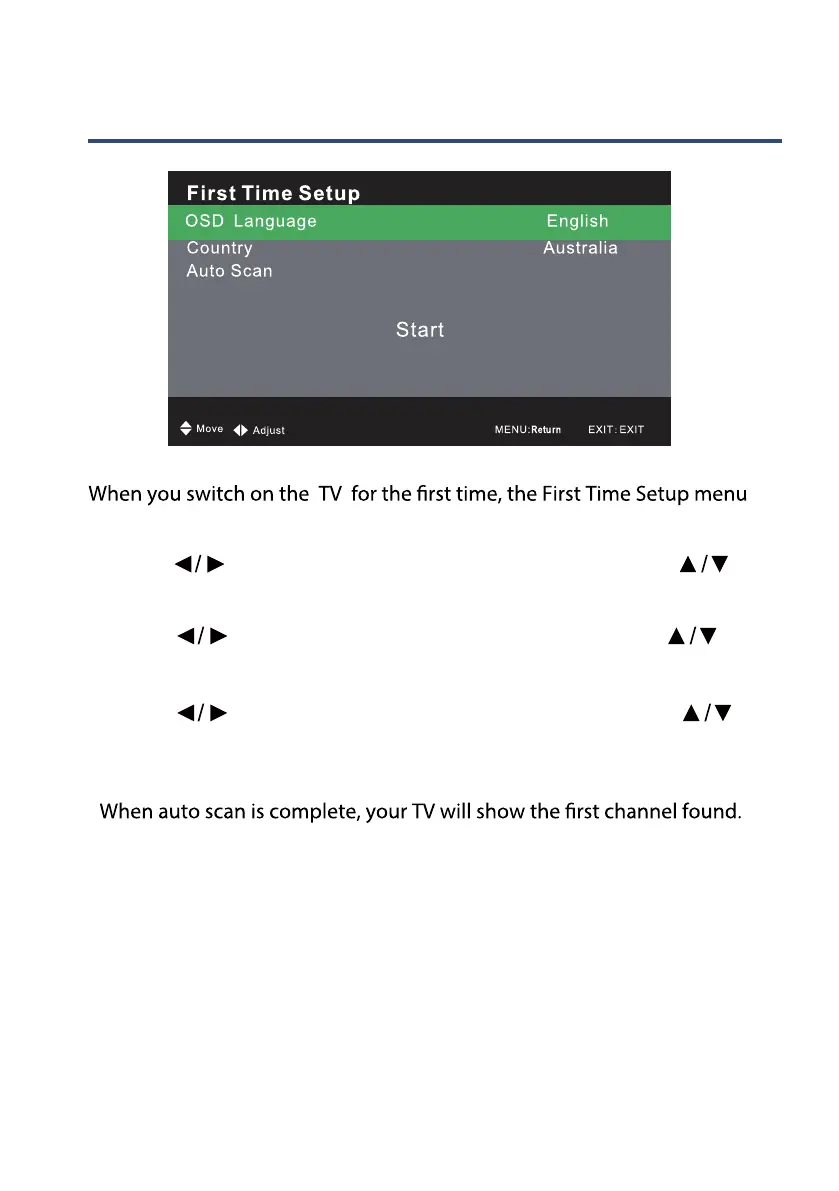
FirstTime Setup
will be displayed on the screen.
-
- Use the
buttons to select the Language and then use the
button to select the Country.
- Use the
buttons to select the Country and then use the
button to select the Auto Scan.
- Use the
buttons to select the Scan type and then use the
button to select the START and press OK button to start searching for
the programs in your area. This may take a few minutes.
DTV+ATV



 To Next Page