40
Playlist
Press MENU button to access the PVR SETTINGS menu under the SETUP submenu,from this
menu
NOTE: Press INDEX button on the remove control to enter the PVR SETTINGS menu directly.
you may play the recorded TV programs, as well as access the scheduled recordings
list.
Press / buttons to choose the File Manager and press OK and press to access. Follow the
on-screen instructions to play the TV programs stored. Press the MENU button to return to
the previous window, or press the EXIT button to leave the interface.
Press / buttons to choose the Scheduled Record and press OK and press to access. Use
the / buttons to choose a group and follow the on-screen instructions to schedule a
recording. Press the MENU button to return to the previous window, or press the EXIT button
to leave the interface.
41
EPG (Electronic Program Guide)
EPG Function -Electronic Programme Guide
Let you check information about broadcasting programmes on the screen (schedules,
programmes, contents description...) as well as schedule recordings and reminders.
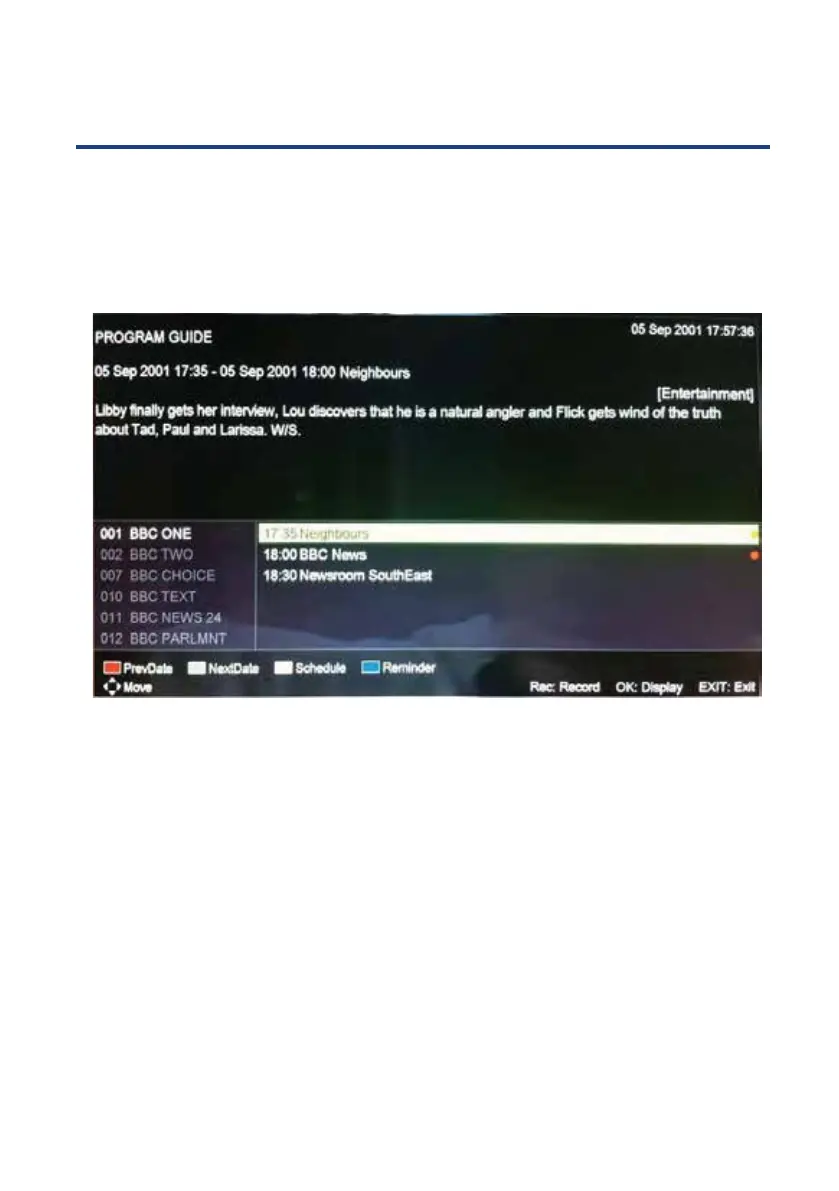
Press EPG button in the remote control unit, and the following interface will be displayed at
the screen:
Press the BLUE button to schedule a reminder for the programme selected at the
programmes list. Some seconds before the beginning of the programme, at the
screen will be displayed a message advising that the channel is near to be switched.
Follow the on-screen instructions to choose the reminding frequency, and vary the
channel and the starting and ending date and time if you wish. Press the OK button
to return to the previous window, or press the EXIT button to leave the interface.
Press the REC button to schedule the recording of the programme selected at the
programmes list.
Follow the on-screen instructions to choose the recording frequency, and vary the
channel and the starting and ending date and time if you wish. Press the MENU
button to return to the previous window, or press the EXIT button to leave the
interface.



 To Next Page