30
Signal Information
Press / button to select Signal Information, then press OK / button to select the
detail information about the signal. Only available when there is signal under DTV.
Signal Information
Network Name
Channel
Frequency
Modulation
Nstrength
Quality
SBS Sydney
CH6
177.50MHz
64 QAM
0
0
MENU:Return EXIT:Exit
31
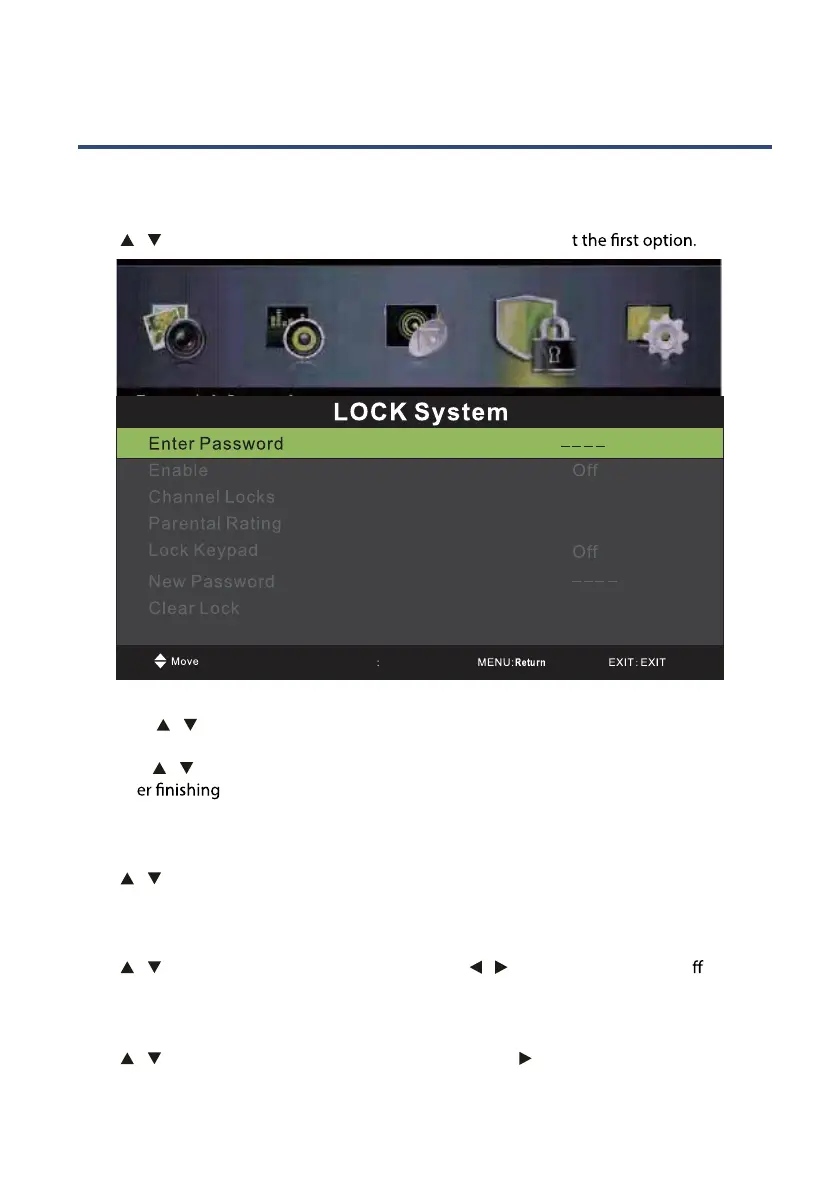
Lock Menu
Press MENU button to display the main menu.
Press / button to select LOCK in the main men, it will highligh
1. Press / button to select the option that you want to adjust in the LOCK menu.
(Default Password:0000)
2. Press
/ button to adjust.
3. Aft
your adjustment, Press MENU button to return back to the previous
menu.
Enter Password
Press / button to select Enter Password, then press OK button to make the following 4
options valid. (Default password is‘0000’.)
Enable
Press / button to select Enable,then press Press / button to select On or O . Channel
Locks,Parental Rating and Lock Keypad are available when Enable is On
Channel Locks
Press / button to select Channel Locks, then press OK / button to enter submenu.
No Block
0-9
Input



 To Next Page