8
Connections and functions
Front View
Back View & Control Connection
1. Press“STANDBY” button to turn standby
2. Press“SOURCE” to select the input source.
3. Press“MENU” to bring up the main menu
on the screen.
4. Press“CH+” or “CH-”to scan through channels.
5. Press‘‘ VOL+” or “VOL-”to increase or decrease
the volume.
8. POWER INDICATOR: Shows red in standby mode,
shows blue when your TV is switched on.
8
6. Press “ ” button to play/pause the program in DVD mode.
7. Press “ ” button to eject the program in DVD mode.
1. DC IN: power input
2. HEADPHONE: Connect the earphone
3. VGA: Connect the PC-RGB output jack of PC
4. PC AUDIO: Connect the Audio output jack of PC
5. RF: Connect the antenna
6. HDMI: Connect the HDMI output jack of DVD
9. Coax: Connect the SPDIF receiver
10. Video: Connect the VIDEO output jack of DVD
7. USB: Connect to portable USB device
8. YPbPr(Component) output jack of DVD
DC
Head
Phone
VGA
PC
Audio
RF HDMI USB Y
Pb
Pr
COAX
Video
RL
11. R/L: Connect the R/L audio output jack of DVD
9
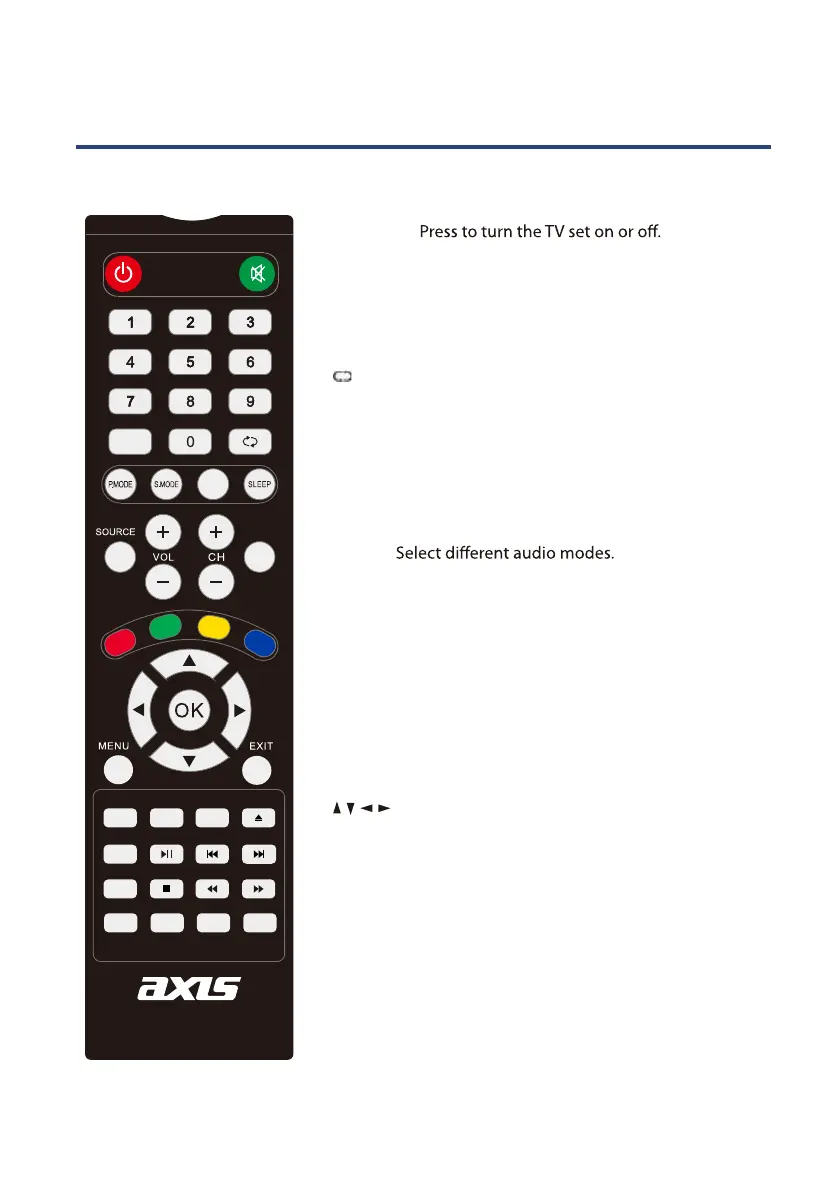
Remote ControlRemote Control
STANDBY:
SOURCE: Press to cycle through the input source.
PMODE: Select picture mode.
SMODE: Select sound mode.
AUDIO:
SLEEP: Sets the TV sleep time.
MUTE: Press to mute the sound. Press again or press V+ to
un-mute the TV.
0-9: TV channel number select.
: Return to the previous channel viewed.
FAV: Display your favourite channel list.
MENU: Brings up the main menu to the screen.
EXIT: Press to close the on-screen display.
/ / / /OK : Allows you to move, select and setup
the OSD options.
VOL+/- : Volume up/down.
CH+/-: Channel up/down.
ASPECT: To chang the aspect of your TV.
TV MODE
AUDIO
SUBTITLE
HOLD
SIZE
TEXT
REC
INDEX
SUBPAGE
TIMESHIFT
RAVEAL
MIX
EPG
TV/RADIO
DISPLAY
FAV
STANDBY
MUTE
PROGRAM
10
10+
GOTO
A-B
ANGLE
REPEAT
ZOOM
ASPECT
D.SETUP
D.MENU
TITLE EJECT
DISPLAY: Press to display the source and channel’s information.



 To Next Page