18
Installing the batteries
1. Open the cover at the back of the remote control unit completely.
2. Insert two 1.5V AAA batteries, ensuring the polarity (+ / -) of the batteries is correctly
aligned and the batteries are properly inserted to power the remote control.
3. Replace the battery cover.
Precautions when using batteries
Do not use old and new batteries together.
together.
Note that there are chargeable and non-chargeable batteries. Do not attempt to
charge non-chargeable batteries.
Remove the batteries from the remote control if you do not intend to use the unit
for a long time.
When disposing used batteries, follow any guidelines for recycling and disposal of
batteries that apply in your local area.
The remote control should be operated within 5 metres and 30° to the left or the
right of the IR receiver at the front of the LED TV.
Using the remote control
+
+
-
-
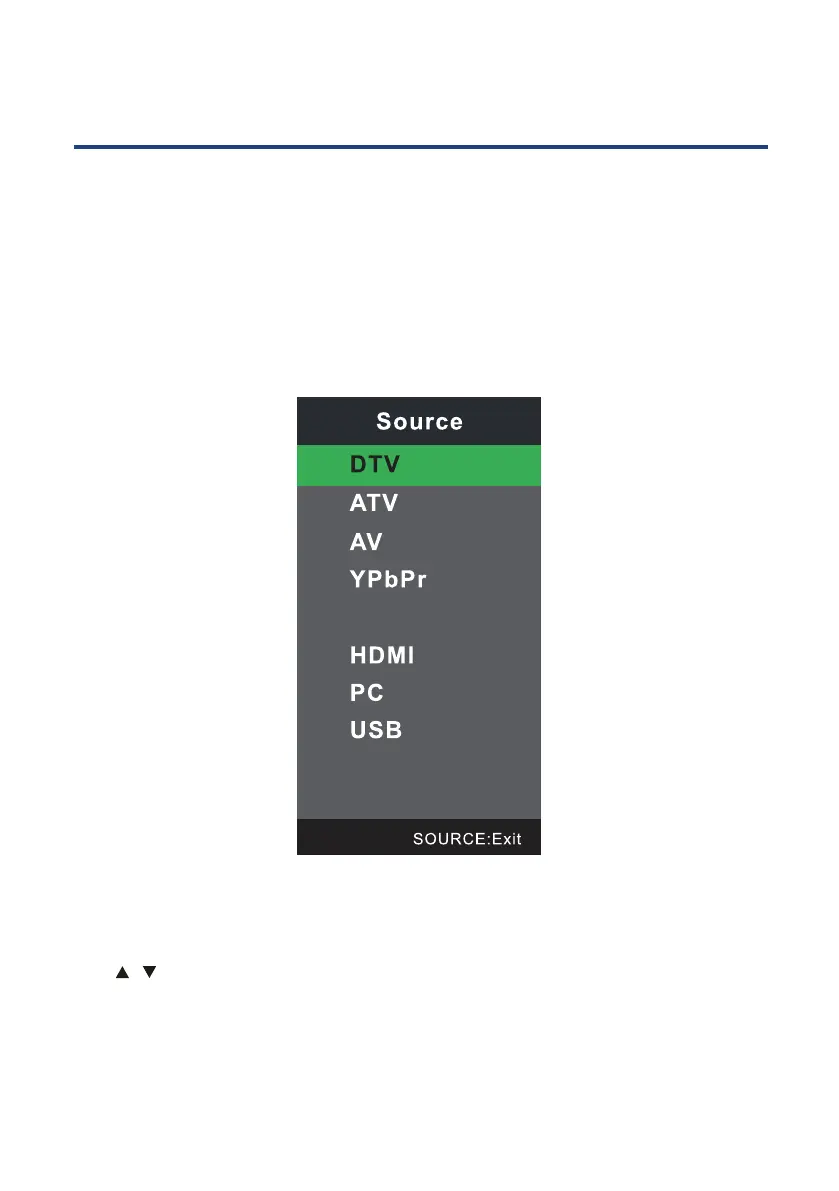
You can select an input signal source by pressing the SOURCE button on the your
remote control or control panel of your TV. The on screen display menu shows the
diagram below on the screen, and you can either press the SOURCE button on the
control panel or the arrows buttons on your remote control to choose an input signal
source.
Choose from the following input sources if you have your audio and video devices
connected to your TV.
19
Selecting Input Source
Basic Operation
Press SOURCE button on the remote control to display the input source list.
Press
/ button to select the input source you want to watch.
Press OK button to enter the input source.
Press EXIT button to quit.
DVD



 To Next Page