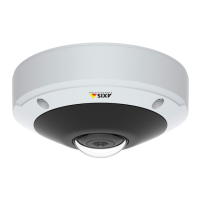
AXIS M3045-V Network Camera
PTZ (Pan Tilt Zoom)
3. Specify the pause length between runs.
4. Select an available preset position and click Apply.
5. Specify the View Time in seconds or minutes.
6. Specify the View Order or select the Random view order option.
7. Click Save.
To modify or remove guard tours, go to PTZ > Guard Tour, select the guard tour in the Guard Tour List and click Modify/Remove.
Note
For products that support Limited Guard Tour, the product has a xed minimum view time
For more information see the online help .
Advanced
Controls
Advanced PTZ settings can be congured under PTZ > Advanced > Controls.
The Panel Shortcut Command Buttons list shows the user-dened buttons that can be accessed from the Live View page’s Ctrl
panel. These buttons can be used to provide direct access to commands issued using the VAPIX® application programming interface.
Click Add to add a new shortcut command button.
The following PTZ controls are enabled by default:
• Pan control
• Tilt control
• Zoom control
To disable specic controls, deselect the options under Enable/Disable controls.
If using multiple view areas, deselecting a control will only disable the control in the selected view area.
Note
Disabling PTZ controls will not affect preset positions. For example, if the tilt control is disabled, the product can still move to
preset positions that require a tilt movement.
27



 To Next Page