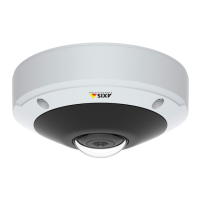
AXIS M3045-V Network Camera
Hardware Overview
Control Button
For location of the control button, see Hardware Overview on page 7 .
The control button is used for:
• Resetting the product to factory default settings. See page 58.
• Connecting to an AXIS Video Hosting System service. See page 50. To connect, press and hold the button for about 3
seconds until the Status LED ashes green.
• Connecting to AXIS Internet Dynamic DNS Service. See page 50. To connect, press and hold the button for about 3 seconds.
LED Indicators
Note
• The Status LED can be congured to ash while an event is active.
• The Status LED can be congured to ash for identifying the unit. Go to Setup > System Options > Maintenance .
Status LED
Indication
Unlit
Connection and normal operation.
Green Shows steady green for 10 seconds for normal operation after startup completed.
Amber
Steady during startup. Flashes during rmware upgrade.
Amber/Red Flashes amber/red if network connection is unavailable or lost.
Red Flashes red for rmware upgrade failure.
8



 To Next Page