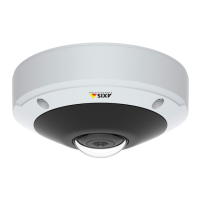
AXIS M3045-V Network Camera
Events
3. Select a recipient Type.
4. Enter the information needed for the recipient type.
5. Click Test to test the connection to the recipient.
6. Click OK.
Recipient Types
The following recipients are available:
Recipient Use with action Notes
Email
Send Images
Send Notication
Send Video Clip
An email recipient can contain multiple email addresses.
FTP
Send Images
Send Video Clip
SFTP Send Images
Send Video Clip
Encrypted le transfer using SSH File Transport Protocol
(SFTP). SFTP is a more secure method than FTP but le
transfer might be slower, especially for large les such as high
resolution video.
Specify login information for the SFTP server and the server’s
public key MD5 ngerprint (32 hexadecimal digits).
The SFTP recipient supports SFTP servers using SSH-2 with
RSA and DSA host key types. RSA is the preferred method. To
use DSA, disable the RSA key on the SFTP server.
HTTP
Send Images
Send Notication
Send Video Clip
HTTPS Send Images
Send Notication
Send Video Clip
Encrypted le transfer using HyperText Transfer Protocol
Secure (HTTPS).
Specify login information for the HTTPS server and validate
the server’s certicate. If there is a proxy between the Axis
product and the HTTPS server, also specify the proxy settings.
Network Share Send Images
Send Video Clip
A network share can also be used as a storage device for
recorded video. Go System Options > Storage to congure
a network share before setting up a continuous recording or
an action rule to record video. For more information about
storage devices, see Storage on page 54.
TCP Send Notication
Set Up Email Recipients
Email recipients can be congured by selecting one of the listed email providers, or by specifying the SMTP server, port and
authentication used by, for example, a corporate email server.
41



 To Next Page