AXIS Q6035 PTZ Dome Network Camera
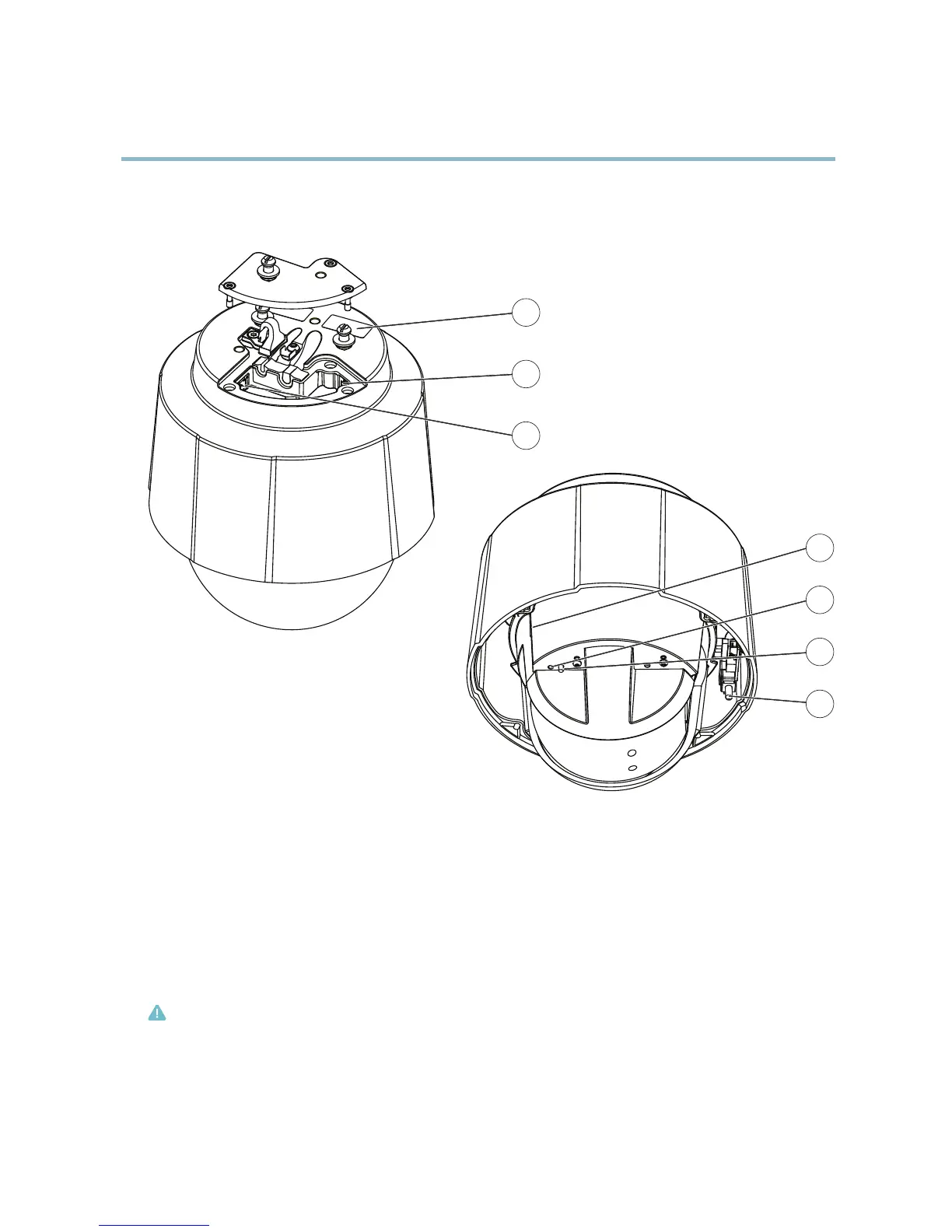
Hardware overview
Hardware overview
1
2
3
4
5
6
7
1
Part number (P/N) & Serial number (S/N)
2
Network connector (PoE+)
3
Multi-connector
4
SD memory card slot
5
Status LED indicator
6
Control button
7
Power button
Connectors
Network connector - RJ-45 Ethernet connector. Sup ports Power over Ethernet Plus (PoE+) IEEE 802.3at. Use the supplied midspan.
Caution
To protect the product against power surges, a shielded network cable (STP) must be used between the product and the
midspan. Ensure that the midspan is properly grounded.
Control button - The control button is used for:
4



 To Next Page