EasyManua.ls Logo

Axis W10 Series - User Manual

Axis W10 Series
15 pages
Print Icon
To Next Page IconTo Next Page
Loading...
AXISW10xBodyWornCameras
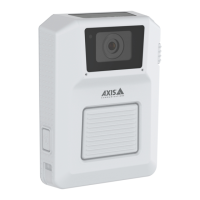
AXISW100BodyWornCamera
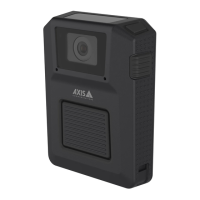
AXISW101BodyWornCamera
Usermanual

Questions and Answers

  • C
    Connie ShawAug 25, 2025
    How to fix no audio in Axis Digital Camera recordings?
    • S
      Stephanie HardyAug 25, 2025
      If there is no audio in your Axis Digital Camera recordings, make sure audio is turned on in the camera profile within AXIS Body Worn Manager.
  • M
    Michelle WolfAug 26, 2025
    What to do if my Axis Digital Camera doesn't record?
    • J
      Jennifer MasonAug 26, 2025
      Your Axis Digital Camera might not be recording because the camera storage is full (storage status is red). Try docking the camera to resolve this issue. Other possible causes are: pre-buffer video is not complete because pre-buffer time is shorter than configured in AXIS Body Worn Manager; recording started directly after the previous recording was ended; when using the maximum resolution 1080p in very complex scenes with a lot of movement, or in low light, the pre-buffer memory can get full.
  • D
    Debra ScottAug 26, 2025
    Why is offloading recordings slow on my Axis Digital Camera?
    • J
      John TaylorAug 27, 2025
      If offloading recordings from your Axis Digital Camera is slow, it may be due to many simultaneous offloads affecting transfer speed. Check the camera status in AXIS Body Worn Manager and wait for recordings to be transferred.
  • P
    pbartonAug 27, 2025
    How to fix foggy image on Axis Digital Camera?
    • I
      iibarraAug 27, 2025
      If the image from your Axis Digital Camera looks foggy, the lens is likely dirty. Clean the lens to resolve this.
  • B
    Benjamin FitzgeraldAug 27, 2025
    Why doesn't the LED display work on my Axis Digital Camera?
    • A
      Alisha FullerAug 27, 2025
      If the LED display on your Axis Digital Camera doesn't work, the camera might be in silent mode, which turns off the display. To exit silent mode, press the top button for 2 seconds.
  • D
    Dustin ChambersAug 28, 2025
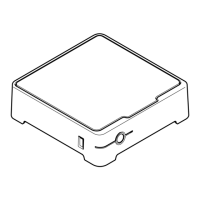
    Why doesn't the docking station LED turn on for my Axis Digital Camera?
    • M
      Mrs. Jessica TrevinoAug 28, 2025
      If the docking station LED for your Axis Digital Camera doesn't turn on, the docking station likely doesn't have power. Connect the docking station to the power supply, as docking stations can't be powered by PoE.
  • S
    smithjenniferAug 29, 2025
    How to exit shipping mode on Axis W10 Security Camera?
    • D
      David HardingAug 29, 2025
      To exit shipping mode on your Axis Security Camera: * Add the camera to the body worn system. * Charge the camera. If charging doesn’t resolve the issue, seek further assistance.
  • L
    Lori NelsonAug 30, 2025
    What to do if my Axis W10 doesn't turn on?
    • C
      Charles HooperAug 30, 2025
      If your Axis Security Camera isn't turning on, there are several possible reasons. First, the camera might be in shipping mode, in which case you should add it to the body worn system. Second, the camera may be out of battery, so try charging it. If charging doesn't resolve the issue, press and hold the power button for 4 seconds, then dock the camera until it's charged, and finally, undock it and wait for it to restart. Alternatively, without a docking station, press and hold the power button for 4 seconds and charge the camera using a USB charger.
  • J
    Joshua CantrellAug 23, 2025
    Why won't my Axis Digital Camera turn on?
    • L
      Laura KirbyAug 23, 2025
      If your Axis Digital Camera doesn't turn on, it might be in shipping mode. To resolve this, add the camera to the body worn system. Alternatively, the camera may be out of battery. In that case, charge the camera.
  • G
    gwilliamsAug 31, 2025
    Why is my Axis Security Camera not recording location data?
    • B
      Billy MartinezSep 1, 2025
      If your Axis Security Camera is not recording location data, it could be due to a couple of reasons. First, location data might be turned off in the camera profile, so you should go to the camera profile and turn it on. Second, the body worn system time might be incorrect. To fix this, set a correct system time, preferably using an NTP server (DHCP) or NTP static and fallback server for accuracy.

Axis W10 Series Specifications

General IconGeneral
Frame RateUp to 30 fps
Lens TypeFixed
Night VisionYes
Weather ResistanceYes
ConnectivityWi-Fi
WirelessYes
Network ProtocolsHTTP, HTTPS, RTSP, RTP, TCP, UDP, DHCP, DNS

Related product manuals